v3.0.0
Summary
Luxu Admin 3.0 is a complete redesign. Every screen has been rebuilt around one quiet dark look where your server's data comes first, and the in-game panel and the luxu.app web panel now share the same screens. Each staff member can now keep their own list of teleport locations. Players can record report clips and review them before uploading, the reports list shows the latest message and how long each player has been waiting, and staff get a notification when someone goes off duty.
There is one small database change: a teleports column is added for you when the resource starts. config.json has a few new keys, but older configs keep working without them. permissions.json and hooks are unchanged.
What's New
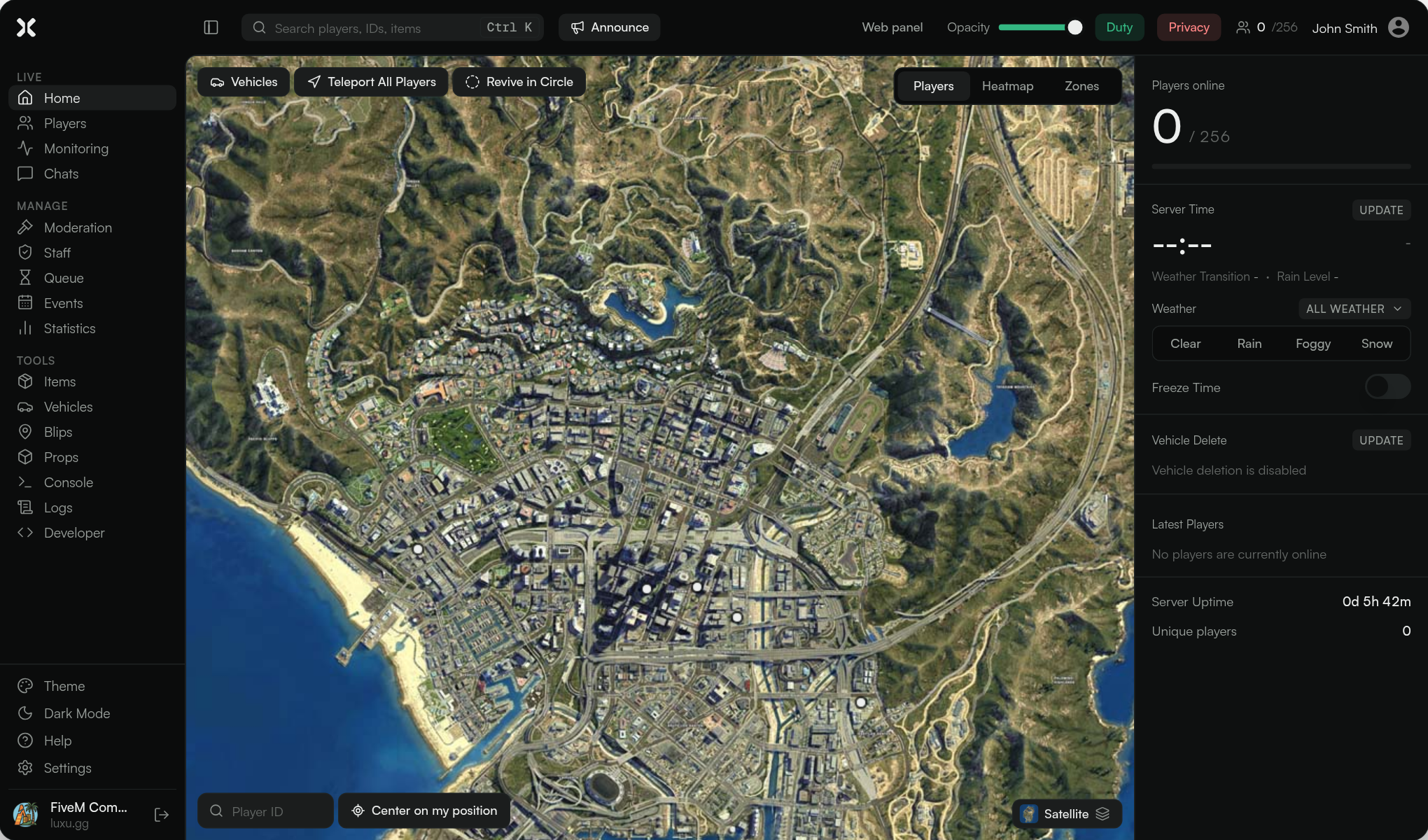
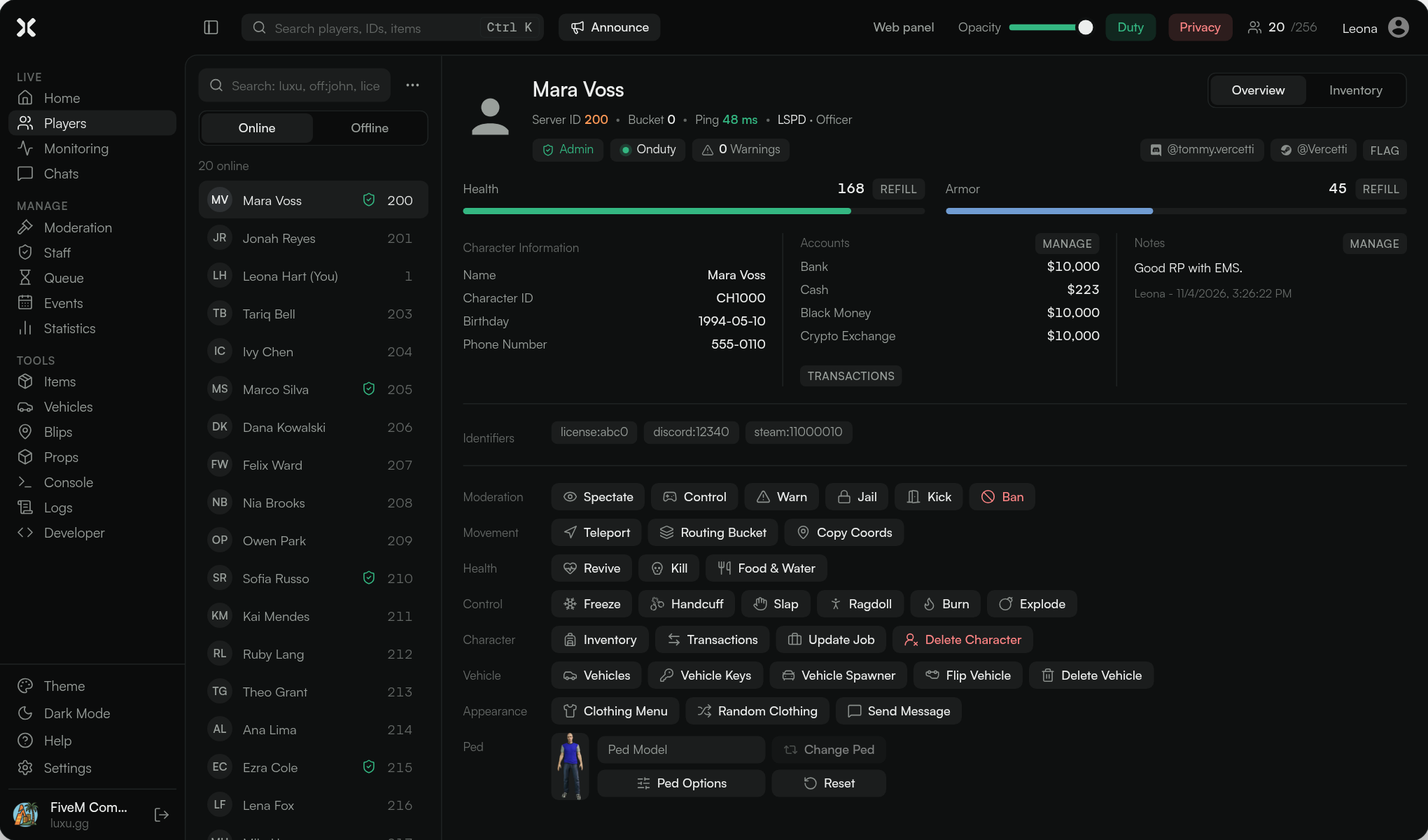
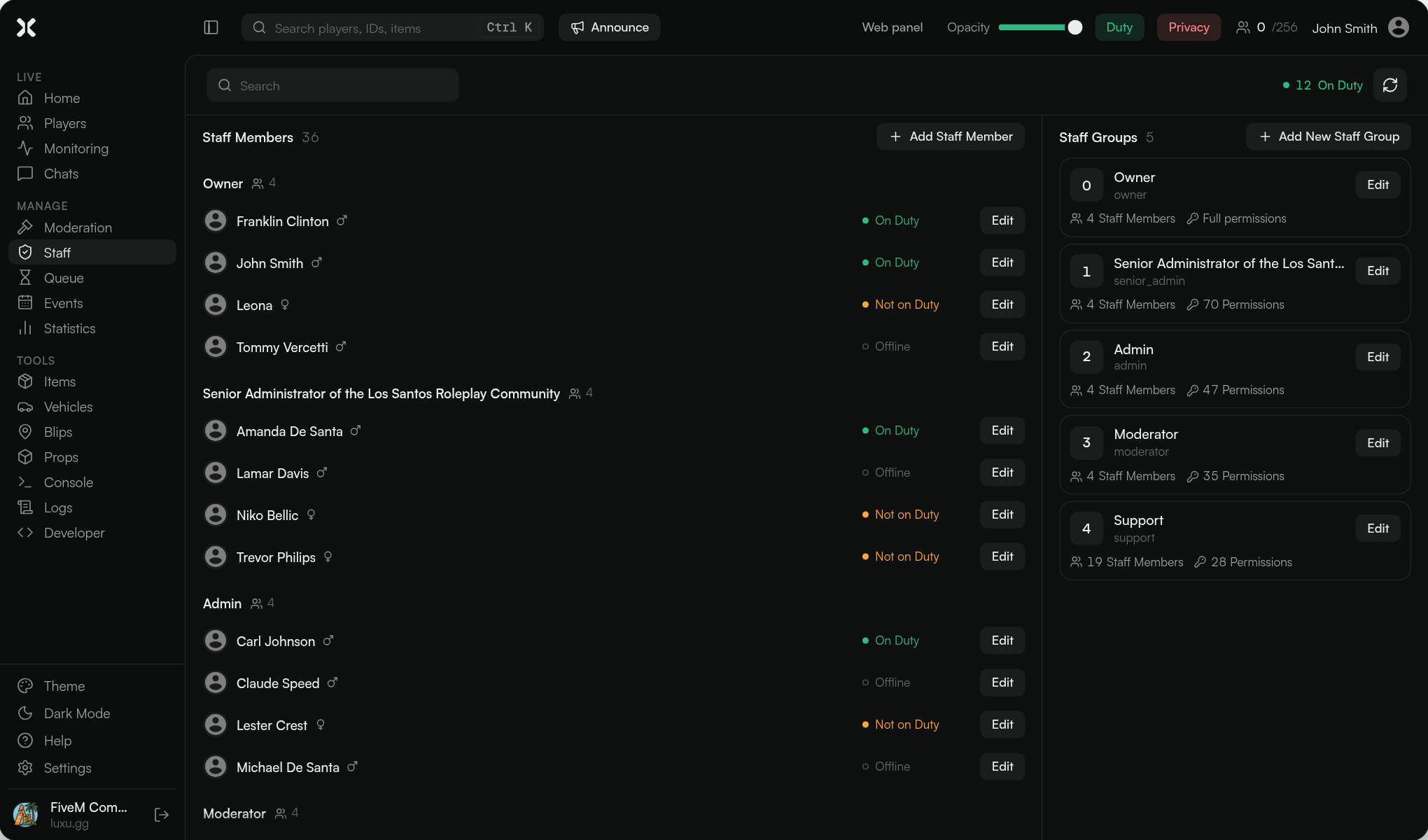
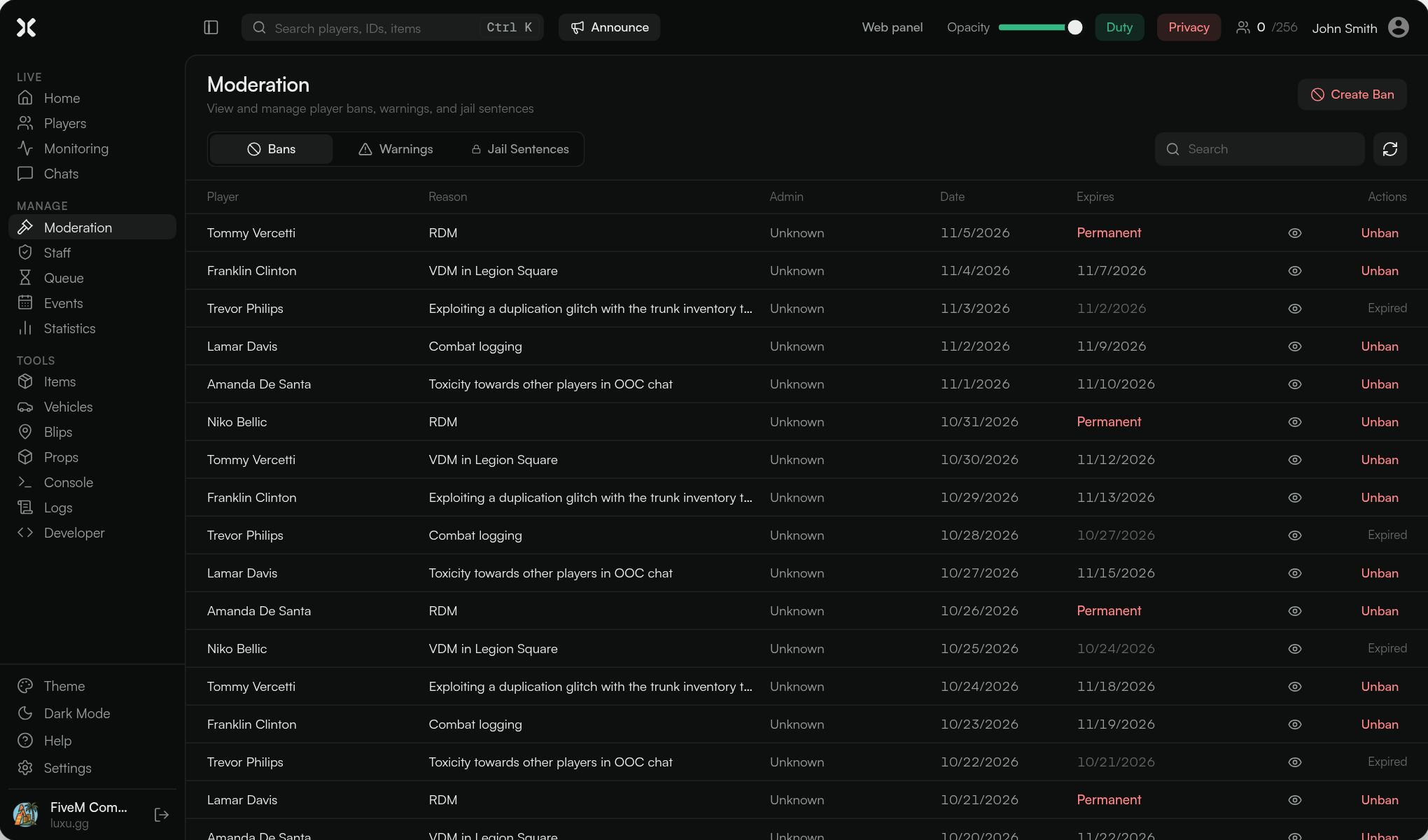
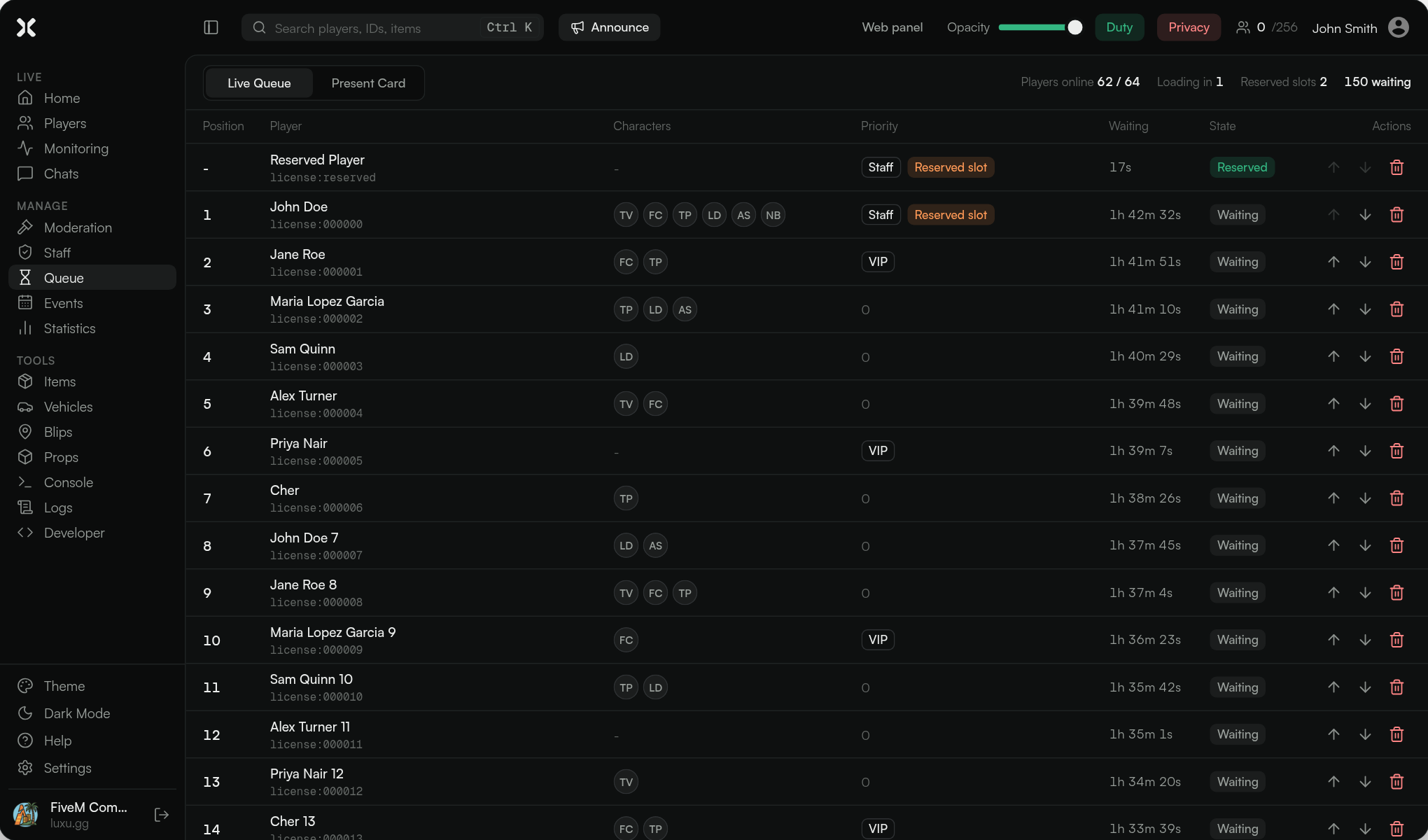
A new look for every screen
- Every page was redesigned: Home, Players, Monitoring, Chats, Moderation, Staff, Queue, Events, Statistics, Items, Vehicles, Blips, Props, Console, Logs and Developer
- The in-game panel and the web panel now render the same screens, so they look and behave the same in both places
- Home is now map first, with server time, weather and vehicle delete in a side rail
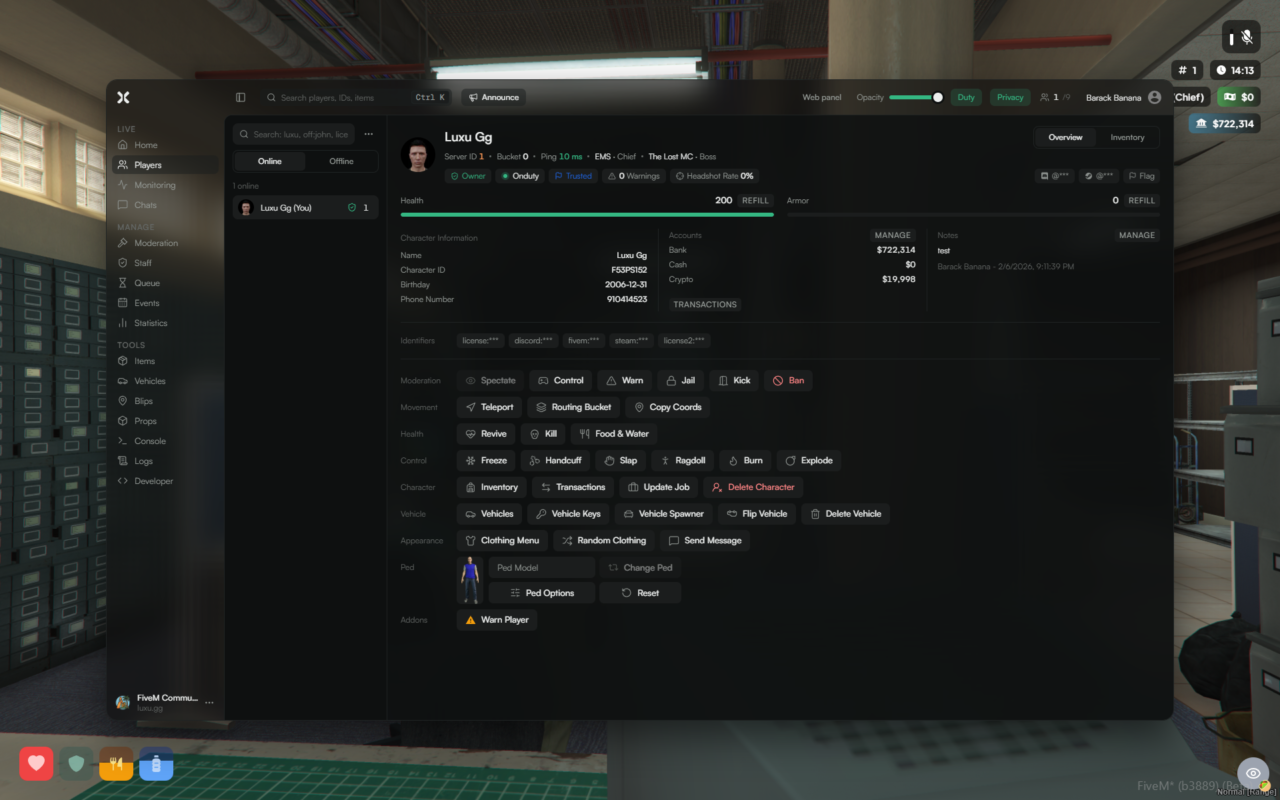
- The player profile is one scrollable page: identity, health and armor, accounts, notes, identifiers and every action group, with Inventory as its own tab. On narrow screens it switches to one column
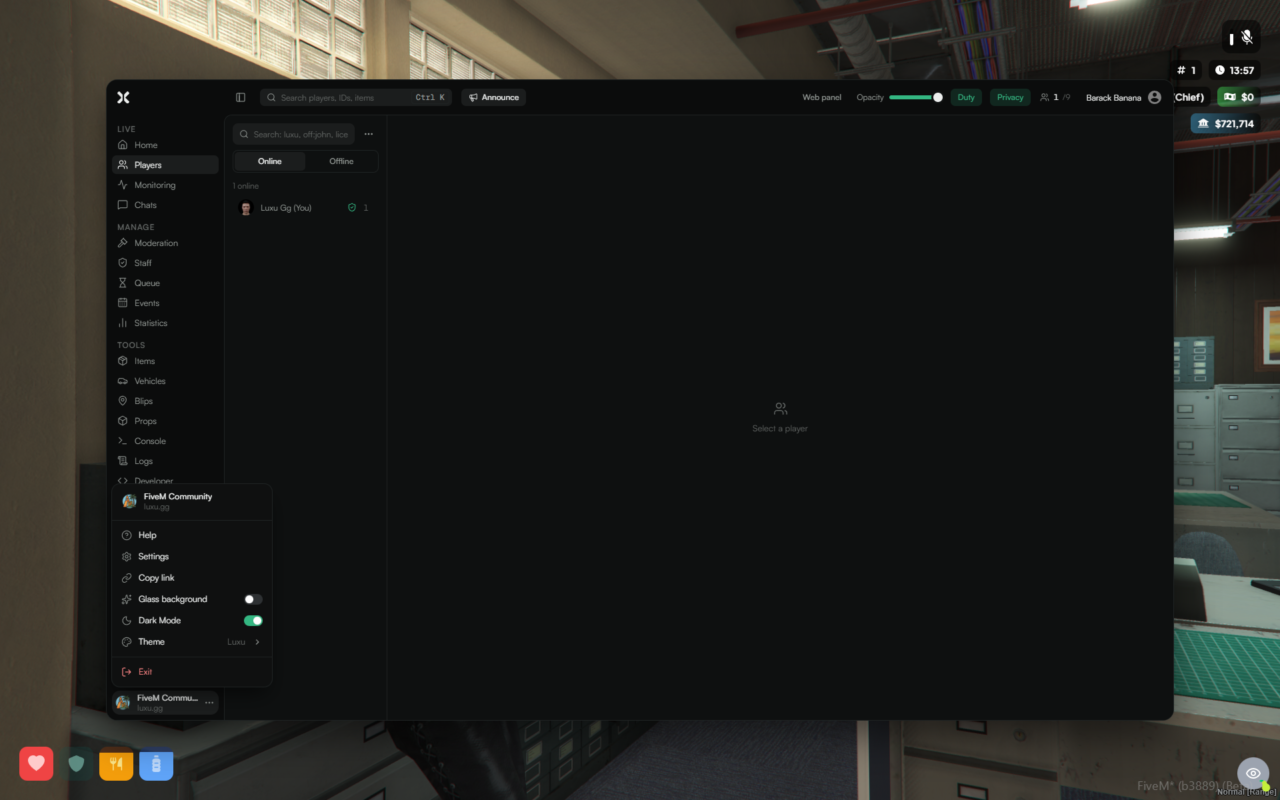
- A new account menu at the bottom of the sidebar holds Help, Settings, Copy link, Dark Mode and the theme picker
- Glass background: turn it on in the account menu to see the game through the in-game panel. A Blur slider in Settings sets how strong the blur is
- The new look is the Luxu theme. The previous one is still there as Luxu Legacy
- Text is never smaller than 12px, so everything stays readable
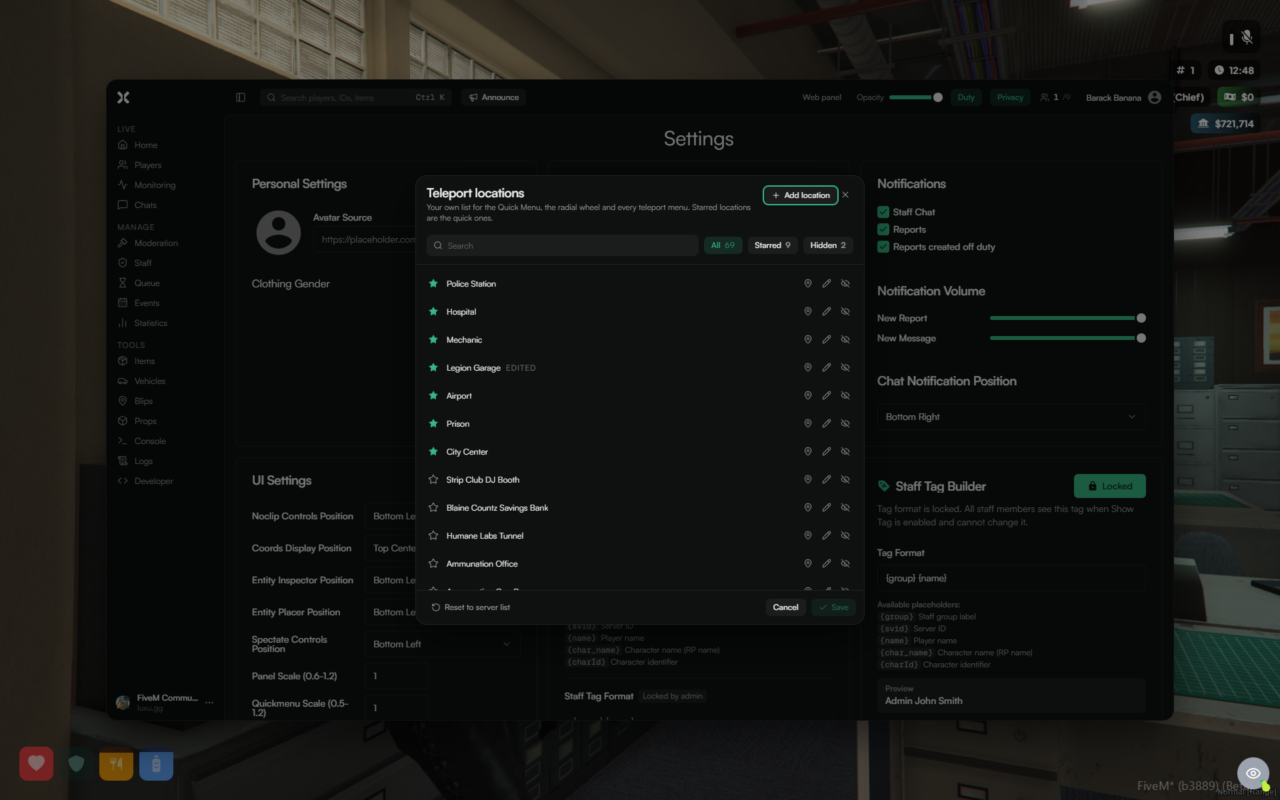
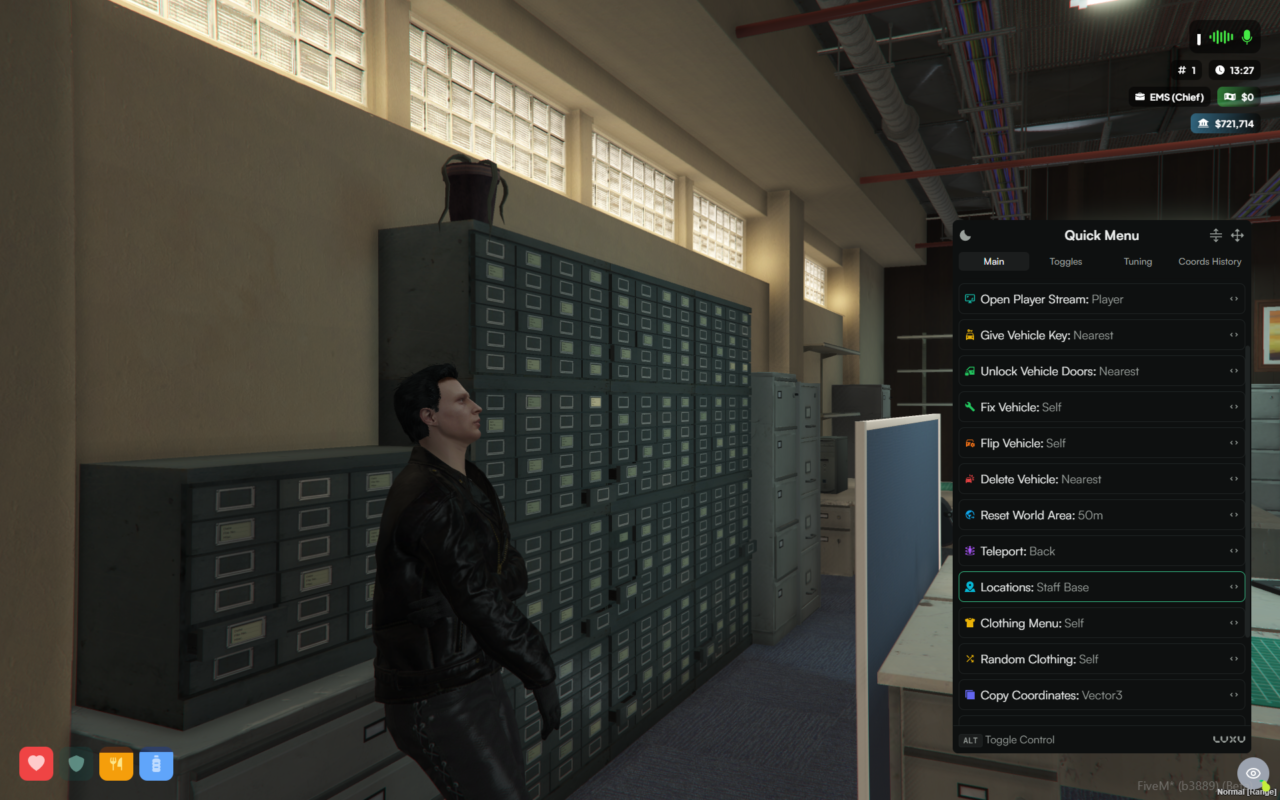
Your own teleport locations
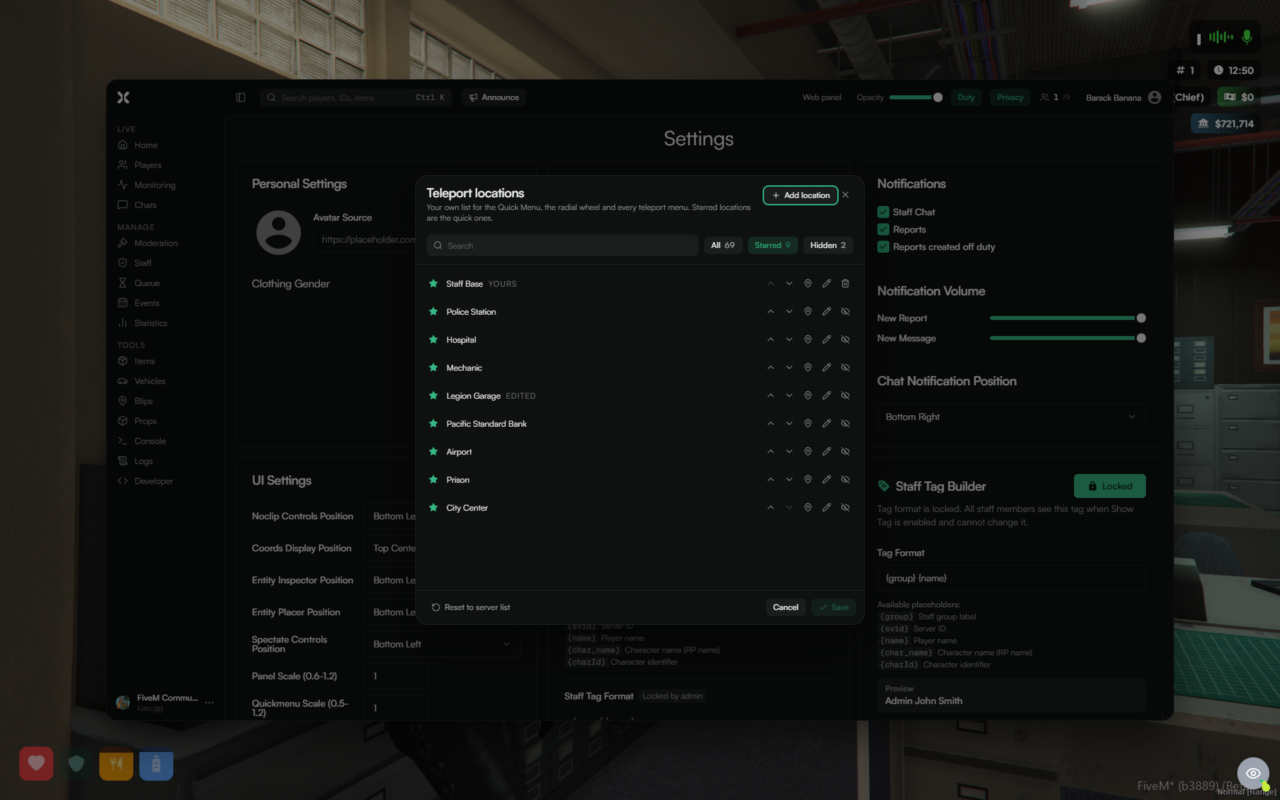
- Every staff member starts from the server's list in
config/teleports.luaand can now make it their own in Settings > Teleport locations - Star the locations you use most and put them in your order. Starred locations are the ones the Quick Menu, the radial wheel and every teleport menu show first
- Hide locations you never use, rename or move a server location, or add your own. Use my position fills in where you are standing
- Click the pin next to any location to teleport there straight from the list
- Only your changes are saved, so a location the owner adds to
teleports.lualater still shows up for everyone. Reset to server list undoes all of your changes - Your list follows you between the game and the web panel
Report clips
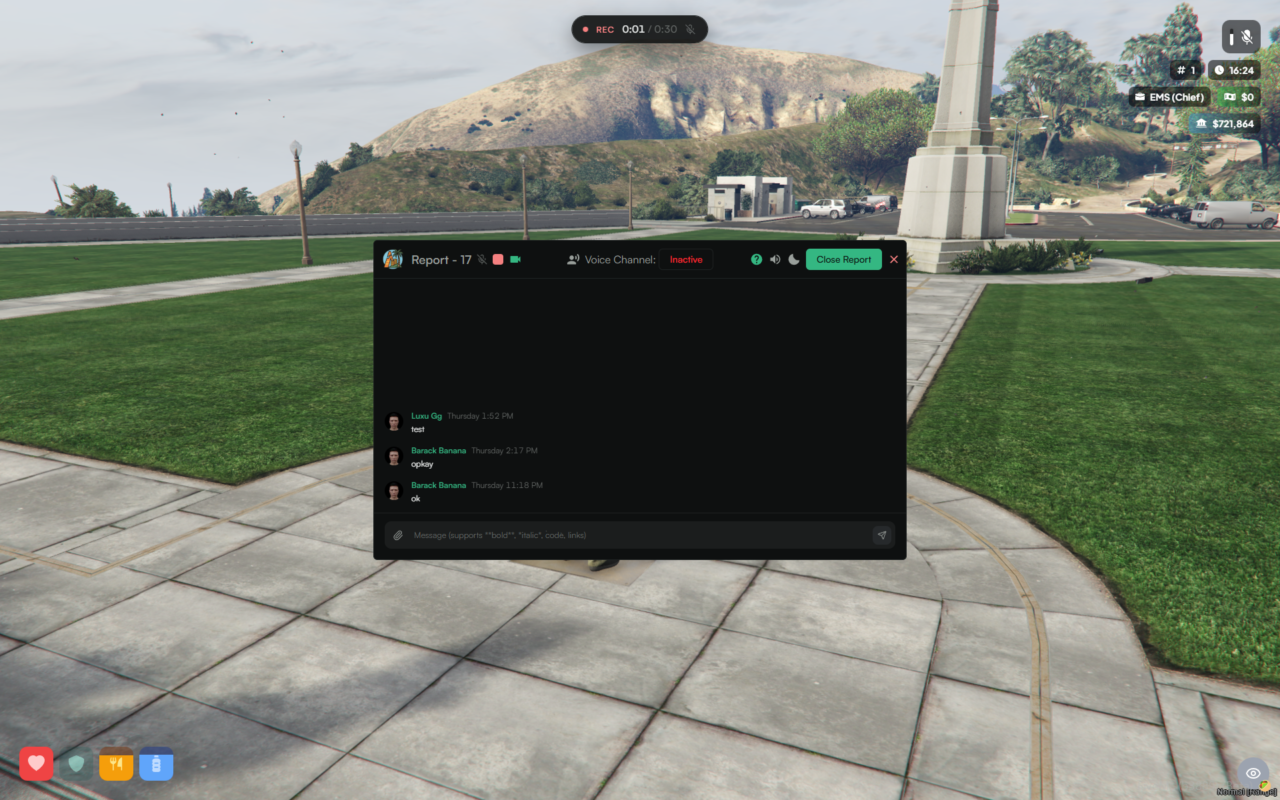
- Players can record a clip for their report with a keybind or the
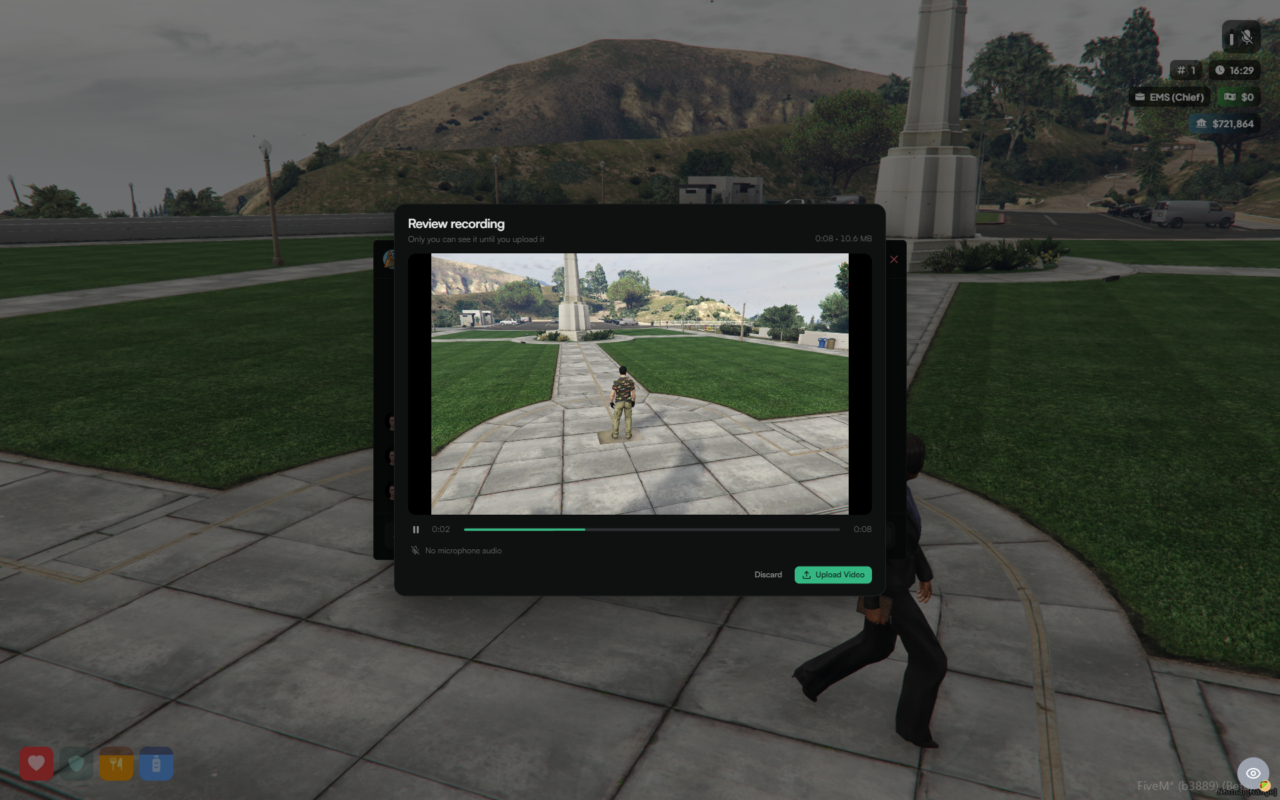
/clipcommand, even with the report window closed. An on-screen counter shows while recording - A finished clip opens for review first: play it back, choose whether to keep the microphone audio, then upload or discard it. Nothing is uploaded until the player says so
- Clips respect a maximum length and file size, and stop on their own at the limit
- The keybind only exists when reports and clip recording are enabled in your config
Reports and chats
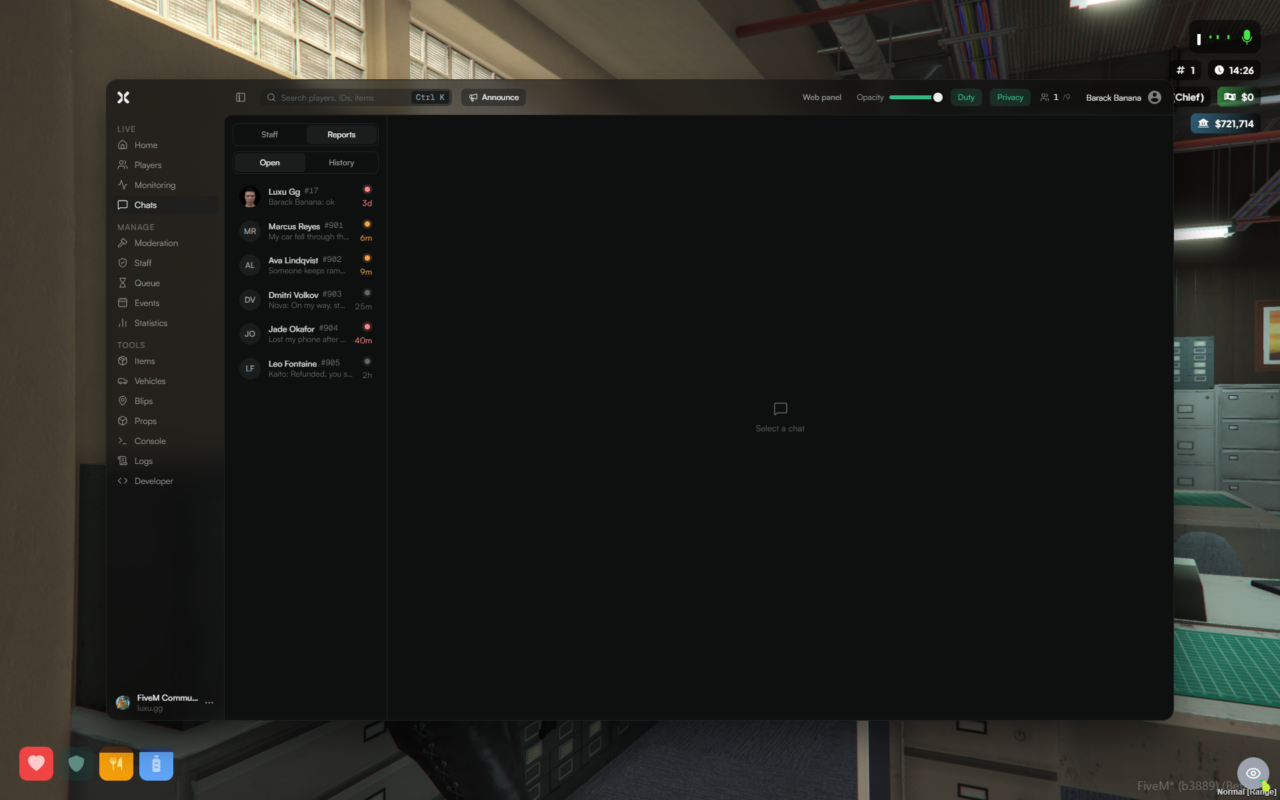
- Open reports show the newest message under the player's name
- A dot shows how long a report has waited: amber after 5 minutes and red after 15 minutes without a claim, grey once someone claims it
- History rows use the same layout, with the date under the name
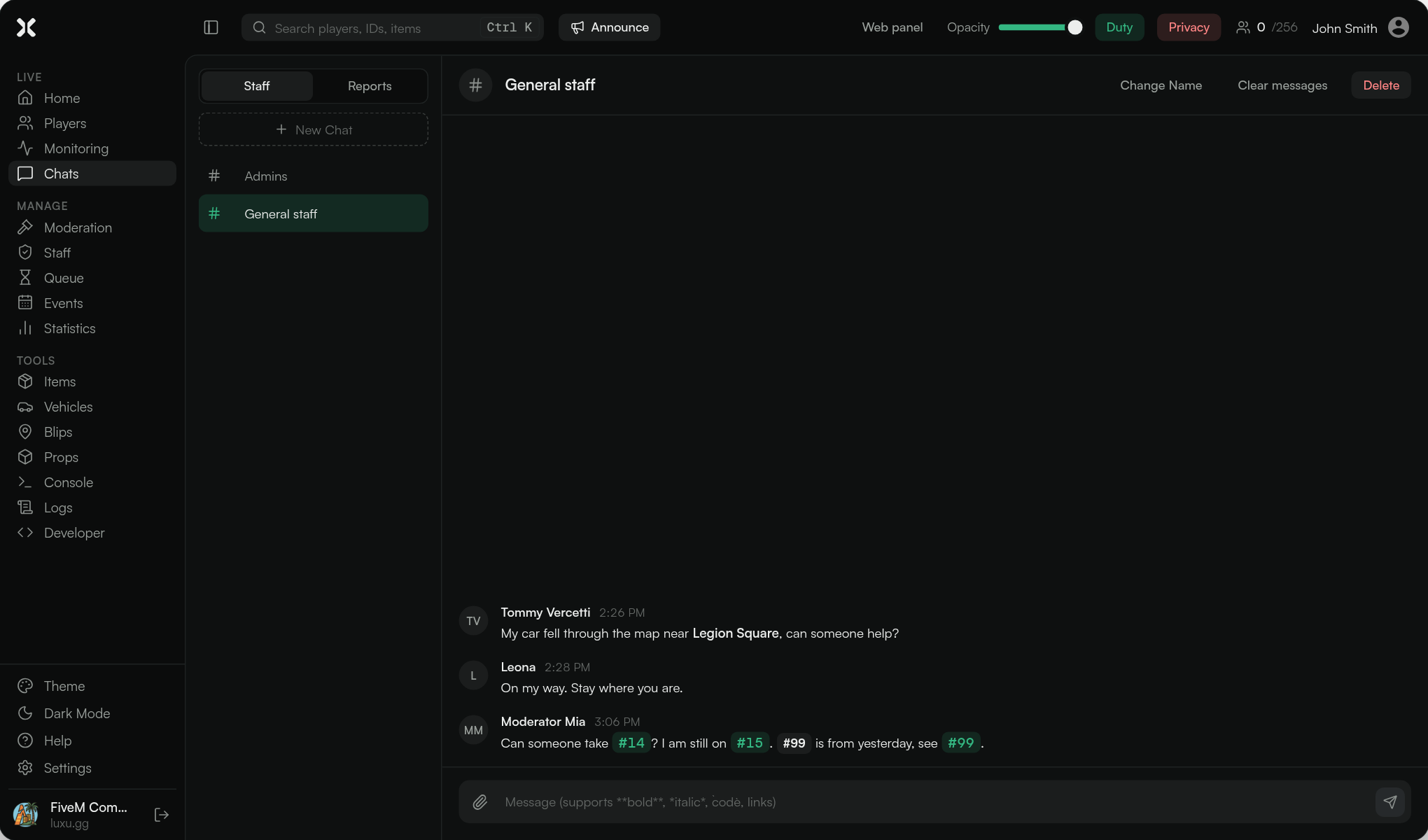
- In staff chats, typing a report number like
#12turns it into a link. Clicking it opens the report if it is still open - Staff chats have a Clear messages action that deletes every message but keeps the chat (needs the
chats.deletepermission). Report chats can never be cleared - Discord report logs now say who did it: the player who created the report, and the staff member who claimed, unclaimed or closed it, each with the report number
Player avatars
- Players now keep their character's face as an avatar, so it shows in the reports list, the latest players on Home and the player search, even after they log off
- Avatars are refreshed in the background every few days
Duty tracking
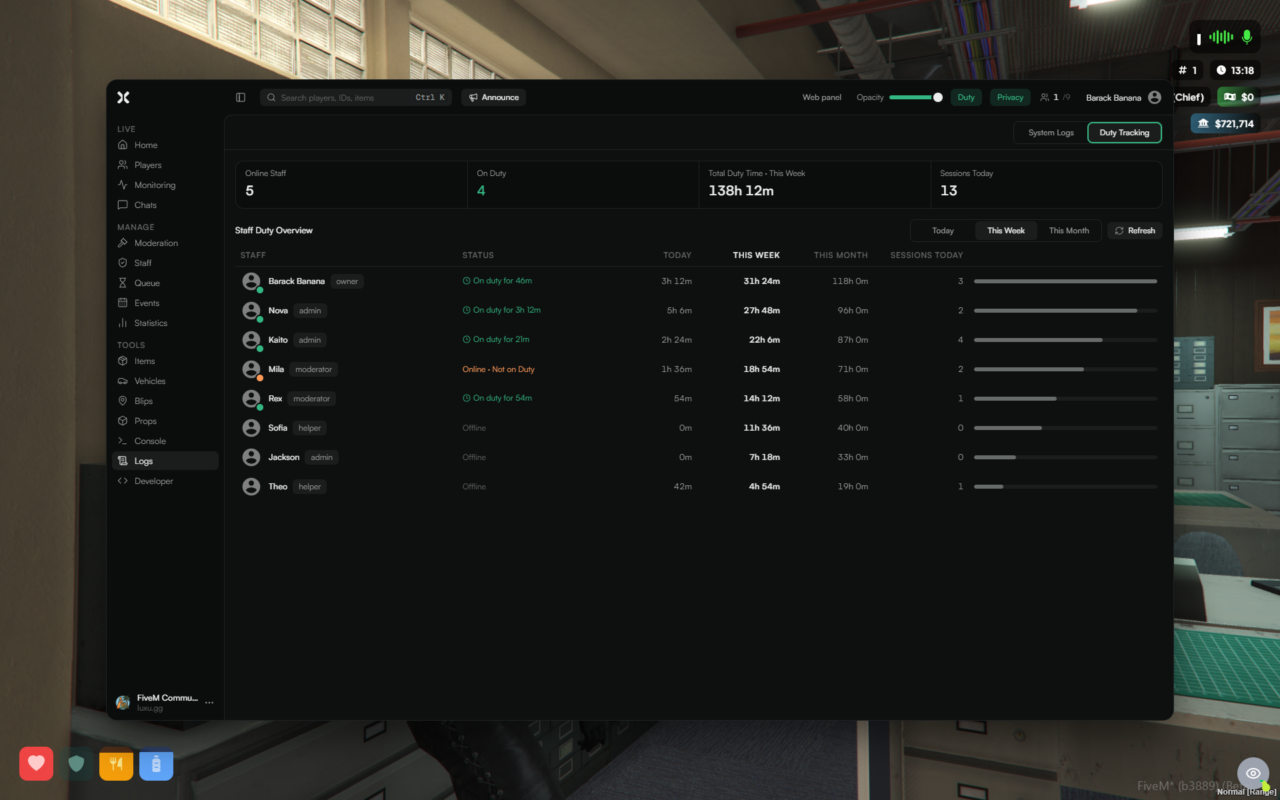
- Logs > Duty Tracking was redesigned: online staff, staff on duty, total duty time and sessions at the top, then one aligned table with today, this week, this month and sessions for every staff member
- Each row shows whether that person is on duty right now and for how long, with a bar comparing their time to the rest of the team
Staff notifications
- On-duty staff get a notification when another staff member goes off duty. Turn it off with
notifications.staff_off_dutyinconfig.json
Inventory
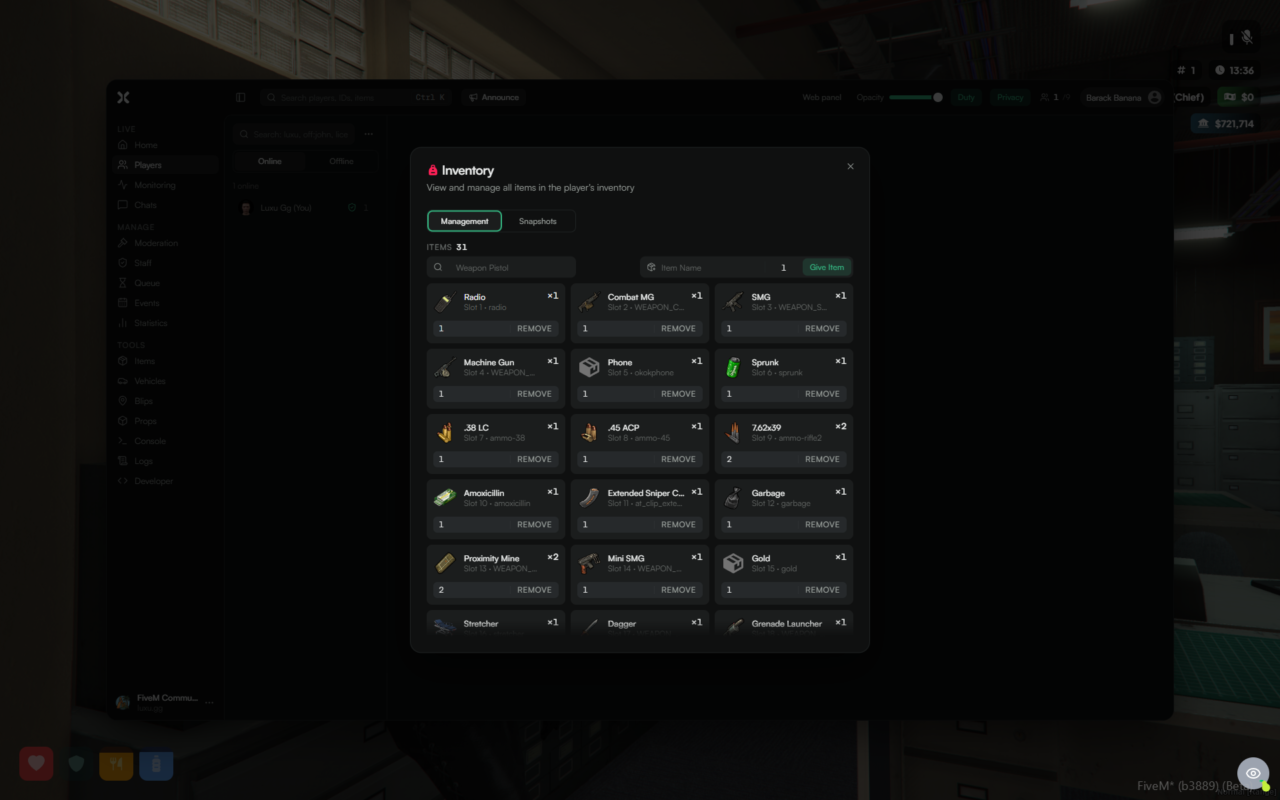
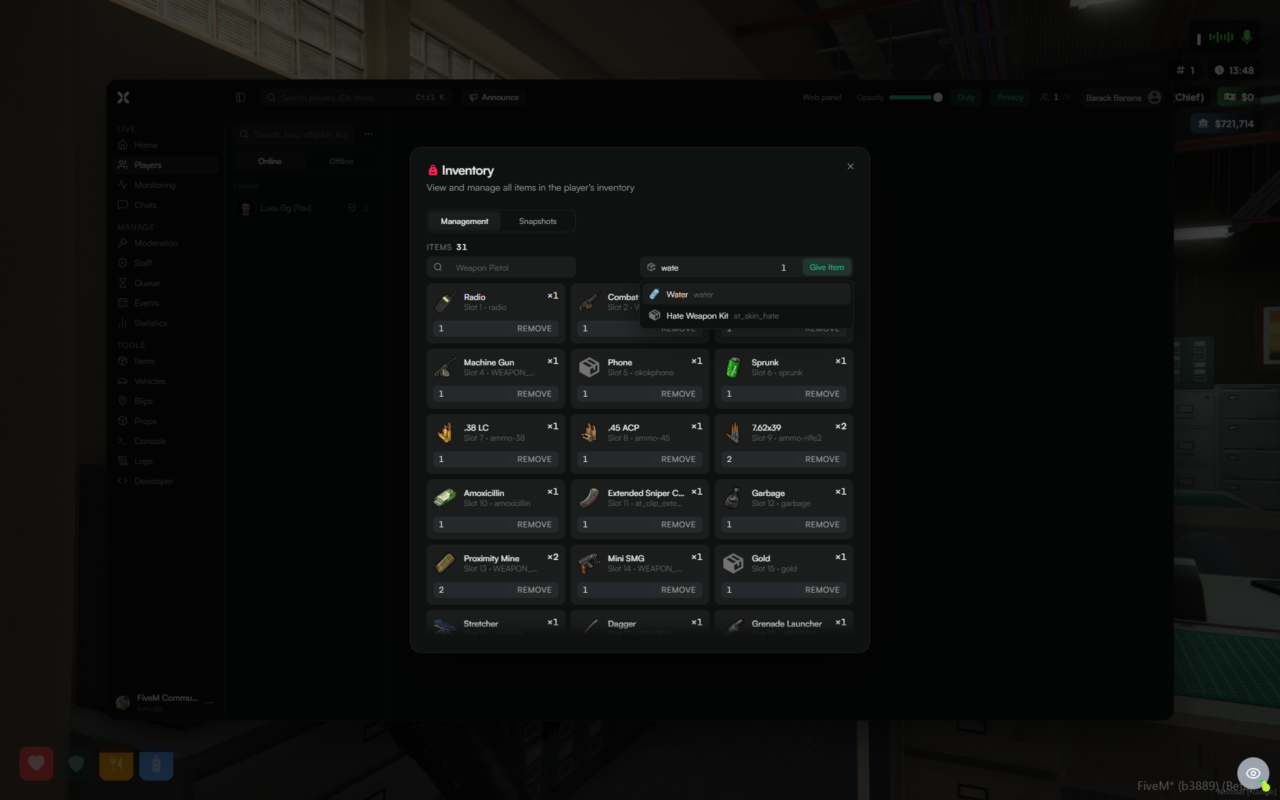
- Search, the item count and Give Item now sit in one toolbar row, with both inputs the same size
- Item suggestions when giving an item work with the keyboard: arrows to move, Enter to give it and close the list, Esc to close the list
- The scrollbar sits on the edge of the panel and no longer squeezes the items
- The remove bar on each item is easier to see
Inventory images on the web panel
- The server keeps the web panel's copy of your inventory images up to date by itself: on start, and whenever your inventory resource restarts
- Only missing or changed images are uploaded, and images you removed from your inventory are removed from the web panel too
- To upload every image again, run
luxuadmin refresh-inventory -fin the server console
Help
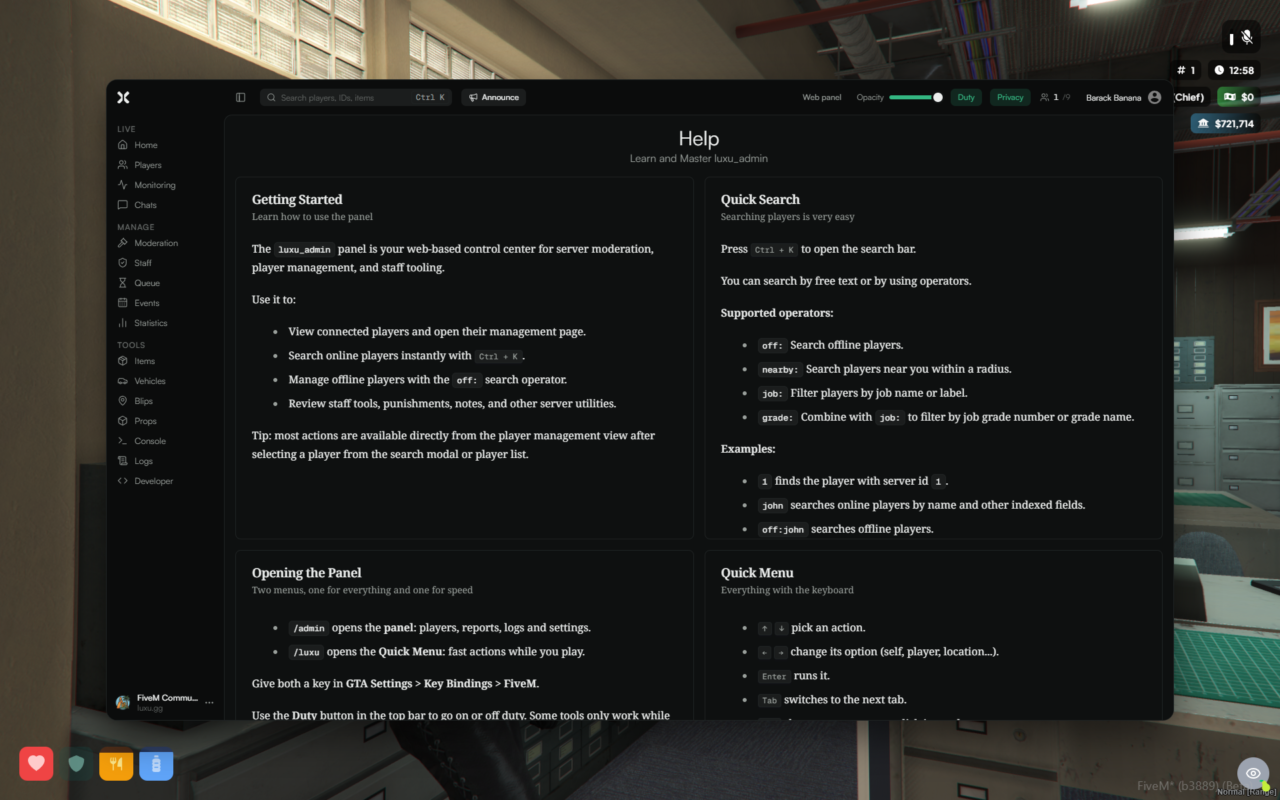
- Five new cards explain the basics in plain words: opening the panel, the Quick Menu keys, teleporting, reports and handy commands
- Help text now follows your theme's colors, and the scrollbar sits on the edge of each card
Quick Menu
- Moving through the Quick Menu with the keyboard keeps the whole selected action in view, including the first and last one
Privacy mode
- Privacy mode now also hides Discord and Steam usernames on the player profile
Transactions
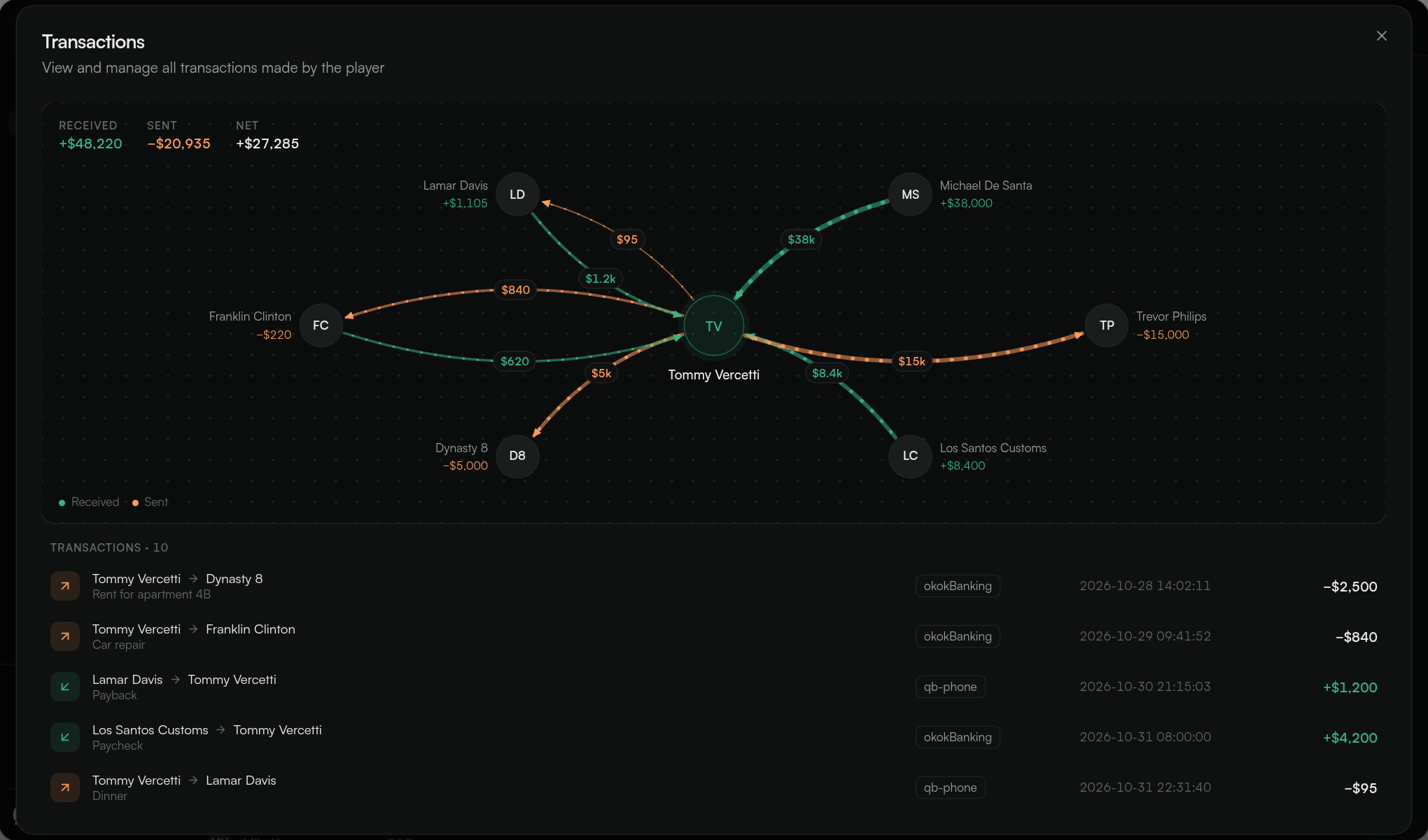
- A player's transactions are now a flow graph with the player in the middle: arrows show who paid whom, how much and how often, with money in and out in different colors
- The list below reads like a bank statement, and hovering a row or an arrow highlights both
- The graph can be panned and zoomed
Banking
- Added support for lation_banking: society balances can be read and changed, and a player's transactions are shown
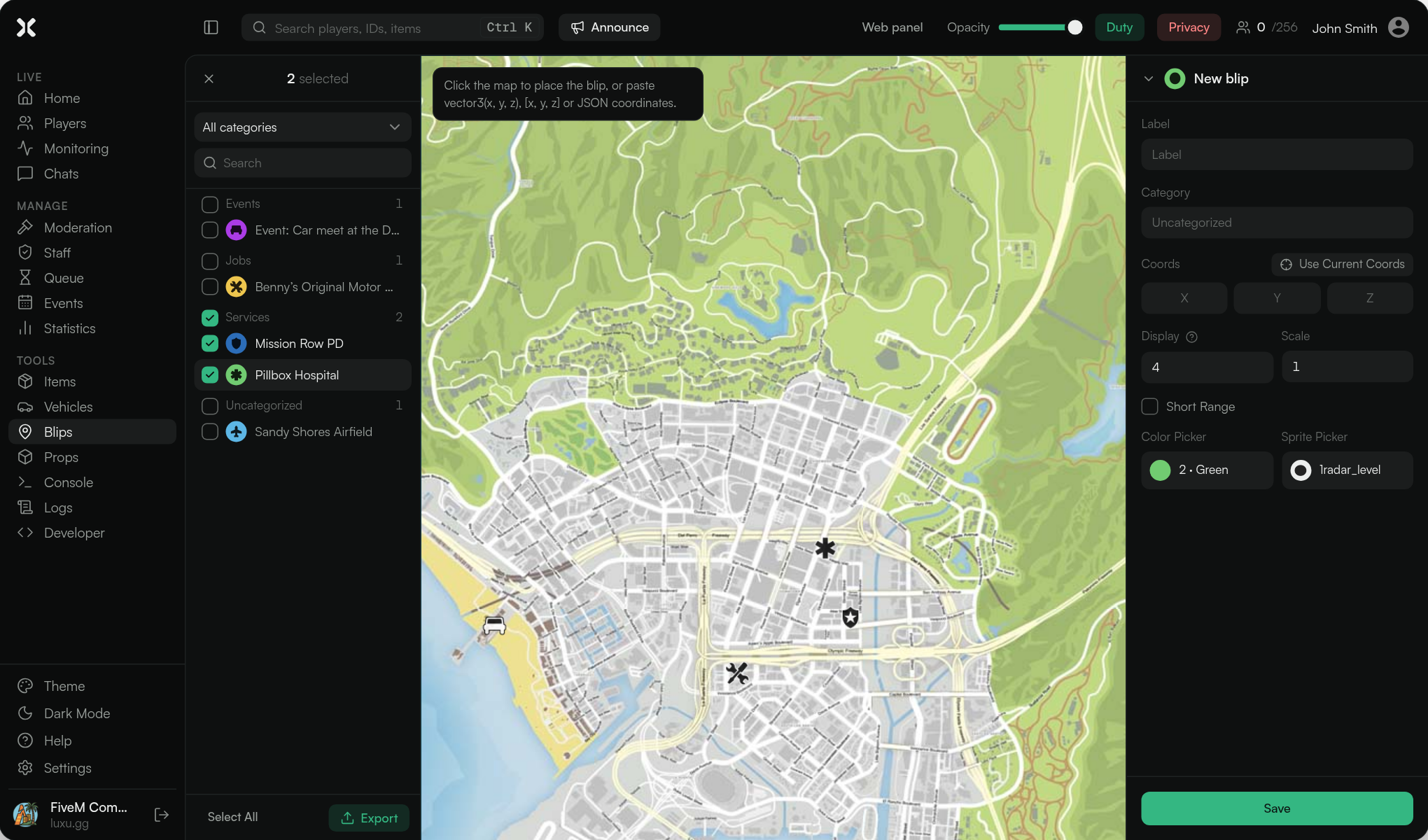
Blips
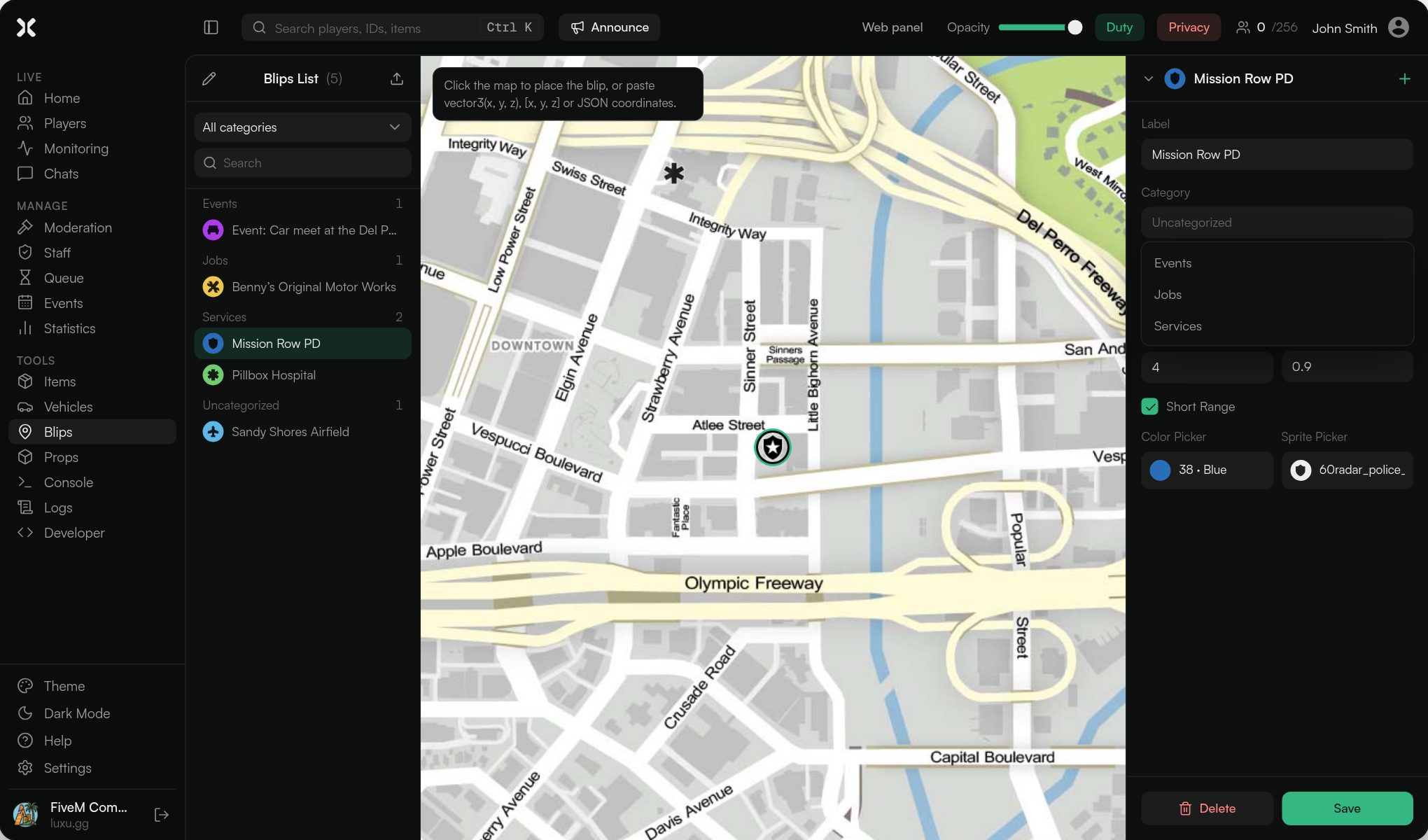
- The category field suggests the categories you already use, and you can still type a new one
- Export every blip, or pick the ones you want, from the list header. The web panel downloads a JSON file; in game it is copied to your clipboard
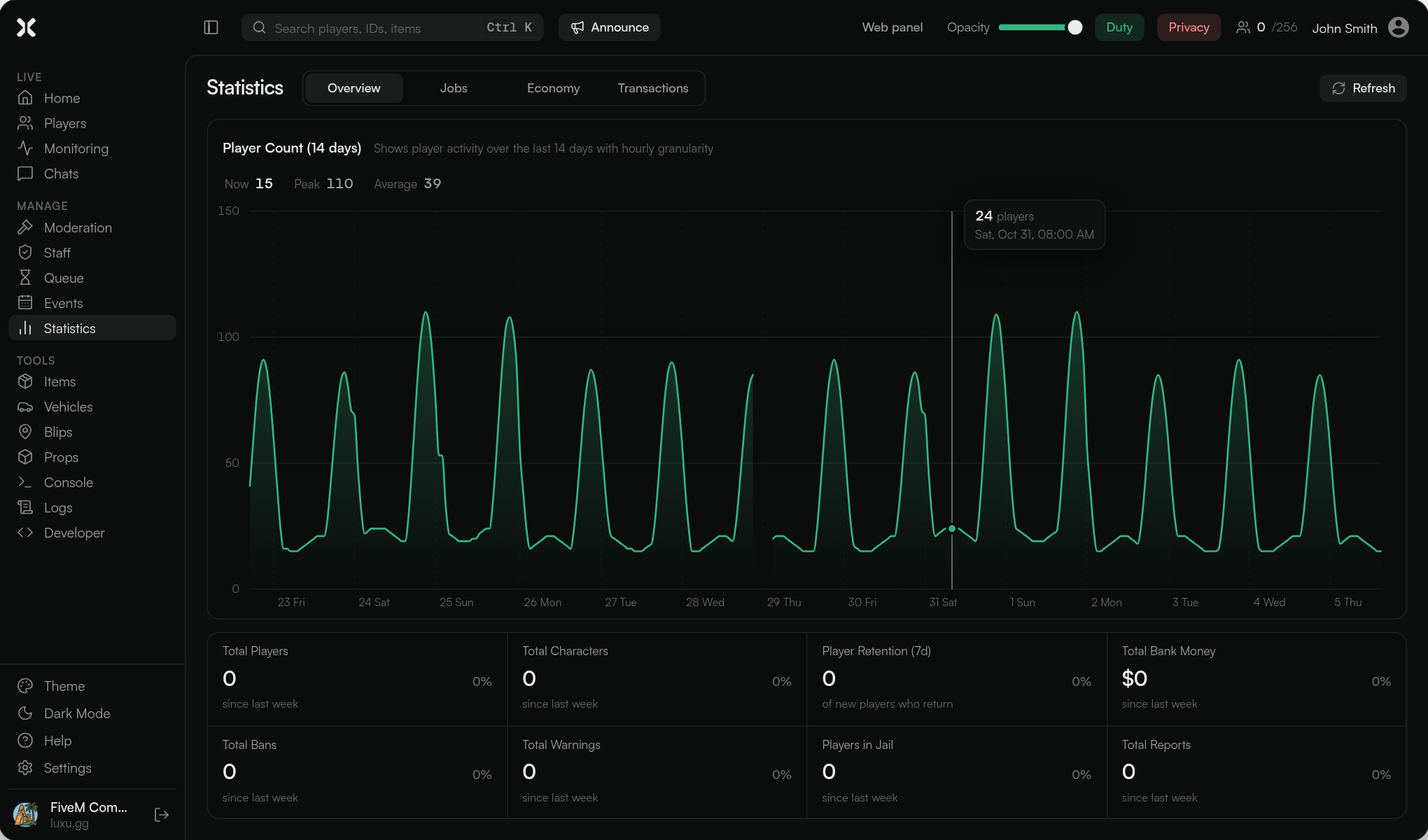
Statistics
- The player count chart is redrawn as a smooth line with a label per day, the peak marked, and now, peak and average figures
- Hovering shows the exact count for each hour, and hours the server was offline leave a gap instead of a misleading line
Web panel
- The web panel can be installed as an app on your phone or computer
- On a phone, pull down to refresh
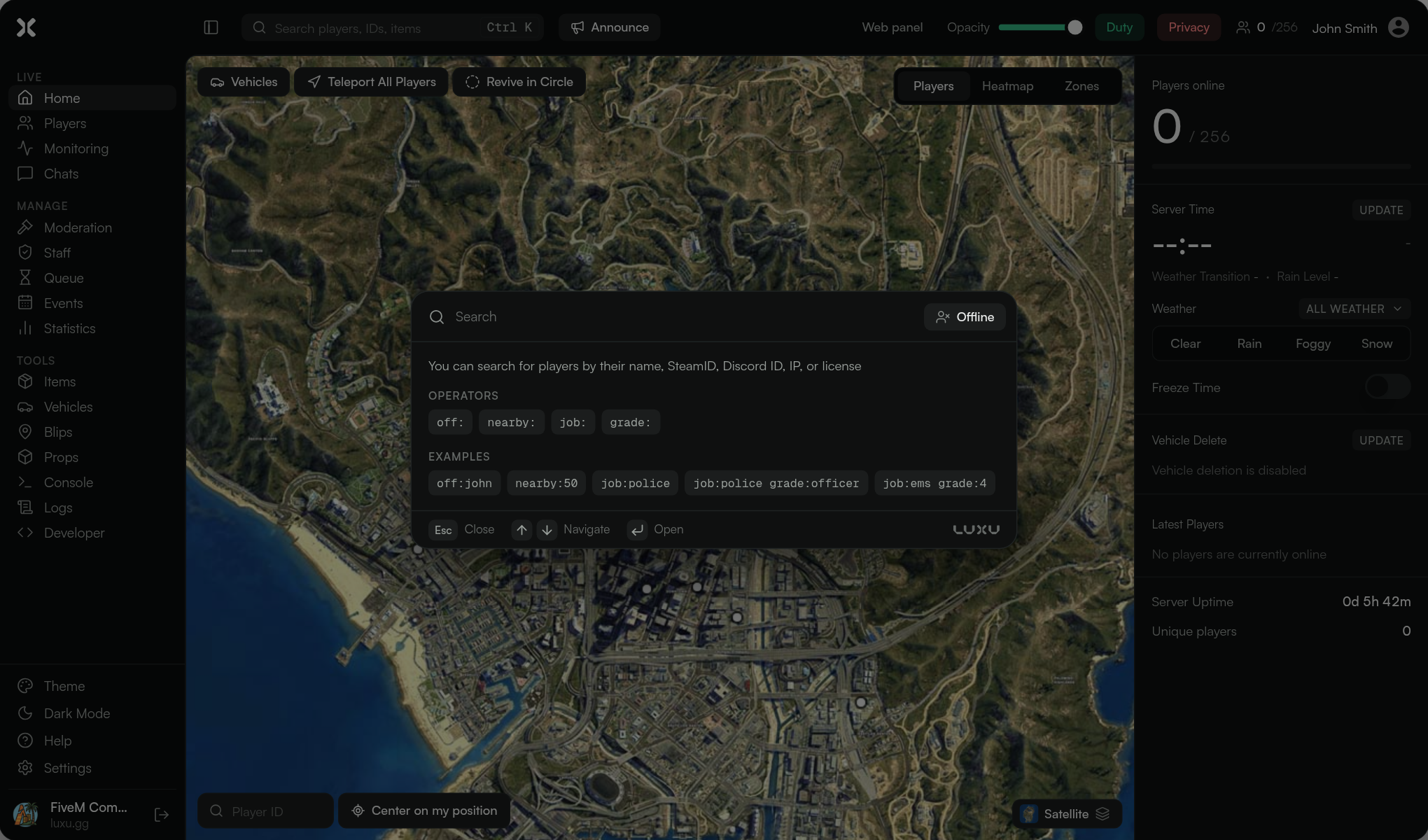
Search and more
- The player search (
Ctrl K) shows operators and examples you can click, and prints its keys: Esc, arrows to navigate, Enter to open - New Teleport everyone action
- New offline action: Send vehicle to garage
- Vehicles spawned from the panel are unlocked
- New
getHelpexport - The headshot badge now reads "Headshot Rate", and the on-duty badge shows a green dot
Bug Fixes
- Fixed Food & Water not filling the HUD on QBCore and Qbox
- Fixed vehicle images that never loaded when the image host did not answer
- Fixed stopping a remote spectate
- Fixed the browser console filling with "ResizeObserver loop" notices on busy lists
- Fixed tiny key icons in the search dialog
Before you update
- Database: a
teleportscolumn is added toluxu_admin_group_membersautomatically when the resource starts. If you install fromsql/install.sql, it is already in there. config.json: your current file keeps working. Add the new entries below if you want to change them:reports.video_max_seconds,reports.video_max_size_mb,commands.record_clipandnotifications.staff_off_duty.- Web panel events permissions: creating and deleting events from the web panel now needs
events.createandevents.delete, the same as in game. Before,events.viewwas enough. Give those permissions to the staff groups that should keep them. - In-world actions from the web panel: teleports, vehicle spawning, reset world, player control and spectate need you to be in game, so the web panel now refuses them with a clear message instead of failing silently.
- Translations: 176 new texts were added,
hswas renamed toheadshot_rate, and the five report log texts (log_report_created,log_report_claimed,log_report_unclaimed,log_report_closed_by_staff,log_report_closed_by_player) were reworded with new placeholders. If you translated those five, update them so your Discord logs show the names. Missing texts fall back to English, so custom translations keep working.
File Changes
⚙️ Configuration & Bridge Files
These files are not encrypted. Review the changes below — you may need to manually apply updates to your server's config files.
fxmanifest.lua
 author 'luxu-gg'
 description 'Admin menu for FiveM'
-version '1.15.7'
+version '3.0.0'
config/config.json
     "video_record": true,
     "voice_channel": true,
     "transcripts": true,
-    "_comment_": "Set video_record, voice_channel, or transcripts to false to disable those report features."
+    "video_max_seconds": 30,
+    "video_max_size_mb": 25,
+    "_comment_": "Set video_record, voice_channel, or transcripts to false to disable those report features. video_max_seconds and video_max_size_mb limit each recorded clip."
   },
   "external_web_panel": {
     "enabled": true,
   "notifications": {
-    "staff_login": true
+    "staff_login": true,
+    "staff_off_duty": true
   },
   "commands": {
       "keybind": true,
       "defaultKey": false
     },
+    "record_clip": {
+      "enabled": true,
+      "name": "clip",
+      "description": "Start or stop recording a clip for a report (All players)",
+      "keybind": true,
+      "defaultKey": false
+    },
     "noclip": {
       "enabled": true,
       "name": "noclip",
config/help.lua
Five new cards were added at the end of the list: Opening the Panel, Quick Menu, Teleporting, Reports and Handy Commands. If you changed your help cards, copy the new ones from the 3.0.0 file into yours.
     ]]
     },

+    {
+        ["title"] = "Opening the Panel",
+        ["description"] = "Two menus, one for everything and one for speed",
+        ["content"] = [[
+- `/admin` opens the **panel**: players, reports, logs and settings.
+- `/luxu` opens the **Quick Menu**: fast actions while you play.
+...
config/commands/cl_commands.lua
     end
 end)

+--- Starts or stops a report clip. The NUI owns the recorder and shows the counter; nothing here needs focus.
+local function toggleClipRecording()
+    if not Config.reports.enabled or Config.reports.video_record == false then return end
+    FetchNui("clips:toggle")
+end
+
+Luxu.registerNetEvent("commands:clip", toggleClipRecording)
+
+-- A clip finished while the report window was closed: the NUI opened it for review and needs the cursor.
+RegisterNuiCallback("clips:review", function(_, cb)
+    SetNuiFocus(true, true)
+    SetNuiFocusKeepInput(false)
+    cb(true)
+end)
+
 Luxu.registerNetEvent("commands:report", function()
     FetchNui("openReports")
     SetNuiFocus(true, true)
     end or function() end
 })

+local recordClip = commands.record_clip -- missing from config files older than this command
+-- No reports or no clips: no key mapping at all, so it does not show up in the game's key settings either.
+if Config.reports.enabled and Config.reports.video_record ~= false
+    and (not recordClip or (recordClip.enabled and recordClip.keybind)) then
+    Keybinds.recordClip = Luxu.addKeybind({
+        name = "luxu_admin:recordClip",
+        description = "Record a Report Clip",
+        defaultKey = recordClip and recordClip.defaultKey or nil,
+        onPressed = toggleClipRecording
+    })
+end
+
 Keybinds.noclip = Luxu.addKeybind({
     name = "luxu_admin:toggleNoclip",
     description = "Toggle Noclip",
config/commands/sv_commands.lua
     end)
 end

+if Config.reports.enabled and Config.reports.video_record ~= false and commands.record_clip and commands.record_clip.enabled then
+    Luxu.addCommand(commands.record_clip.name, {
+        help = commands.record_clip.description,
+        restricted = false,
+    }, function(src, args)
+        Luxu.triggerClientEvent("commands:clip", src)
+    end)
+end
+
 if commands.noclip.enabled then
     Luxu.addCommand(commands.noclip.name, {
         help = commands.noclip.description,
bridge/server/player.lua
 function player.setStatus(playerObj, status, value)
     if Framework.name == 'esx' then
-        --[[ return playerObj.setStatus(status) ]]
+        --TriggerEvent("esx_basicneeds:resetStatus")
         TriggerClientEvent('esx_status:set', playerObj.source, status, 1000000)
     elseif Framework.name == 'qb' or Framework.name == 'qbx' then
         playerObj.Functions.SetMetaData(status, value)
-        if status == 'hunger' or status == 'thirst' then
-            TriggerClientEvent('hud:client:UpdateNeeds', playerObj.PlayerData.source,
-                playerObj.PlayerData.metadata['hunger'],
-                playerObj.PlayerData.metadata['thirst'])
-        end
+        TriggerClientEvent('hud:client:UpdateNeeds', playerObj.PlayerData.source,
+            status == 'hunger' and 1000000 or playerObj.PlayerData.metadata['hunger'],
+            status == 'thirst' and 1000000 or playerObj.PlayerData.metadata['thirst'])
     elseif Framework.name == 'ox' then
         playerObj.setStatus(status, value)
     end
bridge/server/society.lua and bridge/server/transactions.lua
Support for lation_banking. If you have not changed these files, replace them with the 3.0.0 versions. If you have, the changes are:
society.lua: reads society balances withlation_banking'sGetAccountBalanceexport and changes them withAddAccountMoney/RemoveAccountMoney. Thebank_accounts_newtable is skipped whilelation_bankingruns, since it leaves that table behind after importing it.callResourceExportnow passesnilas the export's first argument.transactions.lua: whenlation_bankingis started, a player's last 100 transactions come from itsGetTransactionsexport, and the other banking resources are not asked.
sql/install.sql
Only for new installs. Existing databases get the column automatically.
   `radial_menu` longtext DEFAULT NULL,
+  `teleports` longtext DEFAULT NULL,
   `last_updated` datetime NOT NULL DEFAULT current_timestamp() ON UPDATE current_timestamp(),
Full list of files changed
| Change | File |
|---|---|
| Modified | bridge/server/player.lua |
| Modified | bridge/server/society.lua |
| Modified | bridge/server/transactions.lua |
| Modified | client/modules/actions.lua |
| Modified | client/modules/chat.lua |
| Modified | client/modules/nui.lua |
| Added | client/modules/telemetry.lua |
| Modified | config/commands/cl_commands.lua |
| Modified | config/commands/sv_commands.lua |
| Modified | config/config.json |
| Modified | config/database/queries.d.ts |
| Modified | config/help.lua |
| Modified | fxmanifest.lua |
| Modified | locales/en.json |
| Modified | server/sv_main.lua |
| Modified | sql/install.sql |
| Modified | server/index.js |
| Modified | server/helper.cjs |
| Modified | web/ |