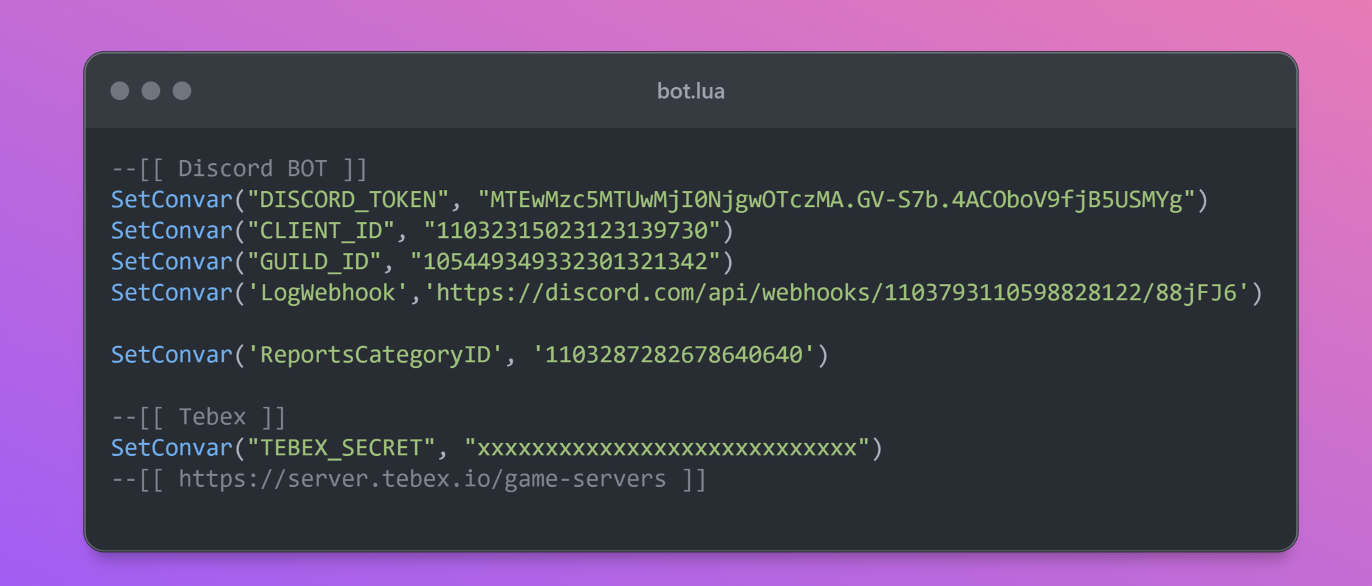
Installation
Dependencies
- Download and install the latest ox_lib.zip
- Download and install LuxuModules
- screenshot-basic
Bot Creation Tutorial
https://www.youtube.com/watch?v=FPkLZb6rA5M
Installation
- Download LuxuDiscordBot and extract it into your server's
resourcesfolder - Rename the folder to
luxudiscord— required for LuxuAdmin detection - Create a Discord bot — see the Discord section below
- Open
bot.luaand fill in all values — see the Discord section below - Open
Config.luaand configure all settings. Do not skipConfig.Permissions— see Permissions
Add to server.cfg:
add_ace resource.luxudiscord command allowStart resources in this order:
# ESX
ensure es_extended
# QBCore
ensure qb-core

ensure ox_lib
ensure LuxuModules
ensure LuxuDiscordBot
# If you have LuxuAdmin
ensure LuxuAdmin
Permissions
Get the role IDs from your Discord server:
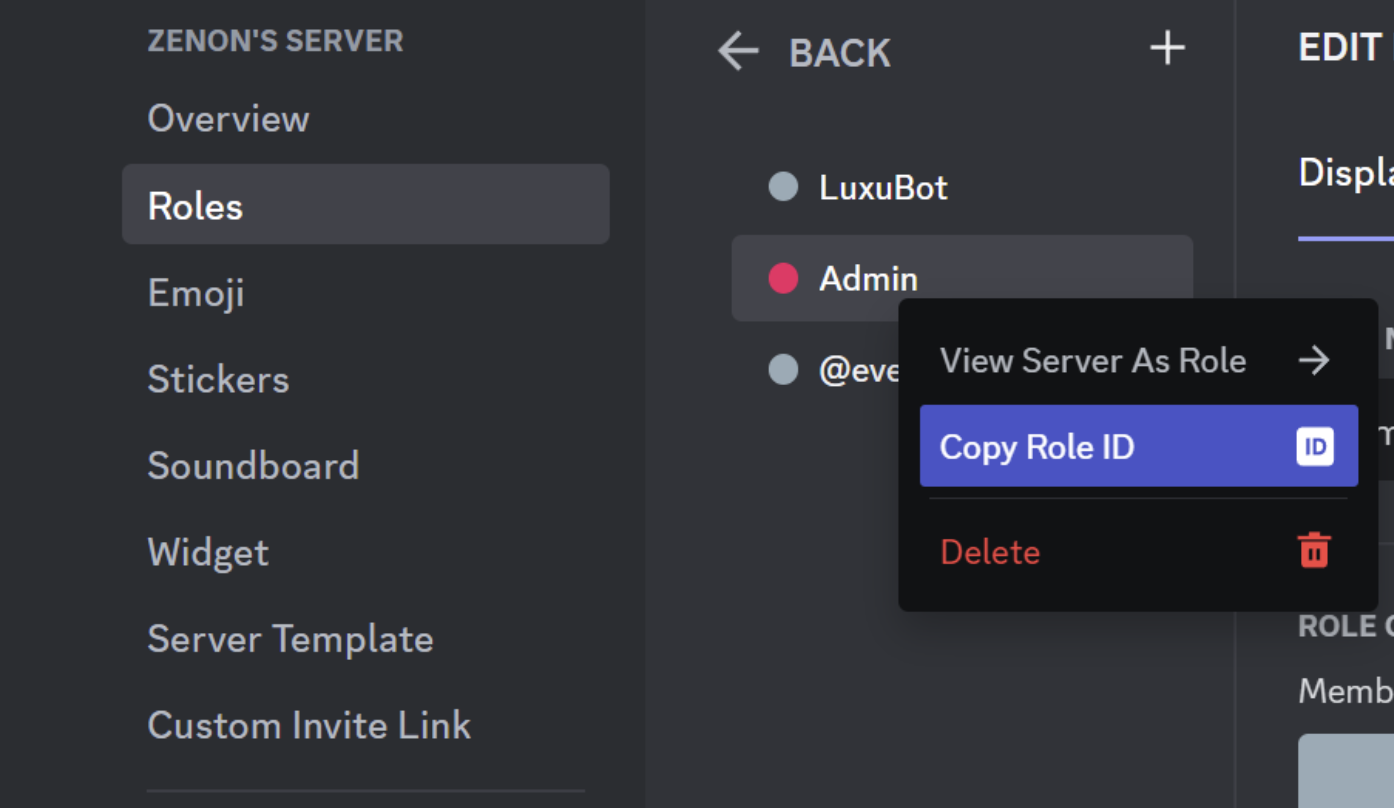
Config.lua — example giving admins full access and moderators limited access:
Full admin permissions:
Config.Permissions = {
      {
            name = "Admin",
            role_id = "1103798716227403880",
            fullpermission = true,
            tickets = true,
            commands = {}
      },

}
Specific commands for moderators:
Config.Permissions = {
      {
            name = "Admin",
            role_id = "1103798716227403880",
            fullpermission = true,
            tickets = true,
            commands = {}
      },
      {
            name = "Moderator",
            role_id = "1103794241553403880",
            fullpermission = false,
            tickets = true,
            commands = {
                  'playerlist',
                  'player',
                  'close',
                  'reportinfo',
                  'revive',
                  'kick',
                  'screenshot',
                  'online'
            }
      },

}
Discord
How to create a bot and get the values for bot.lua:
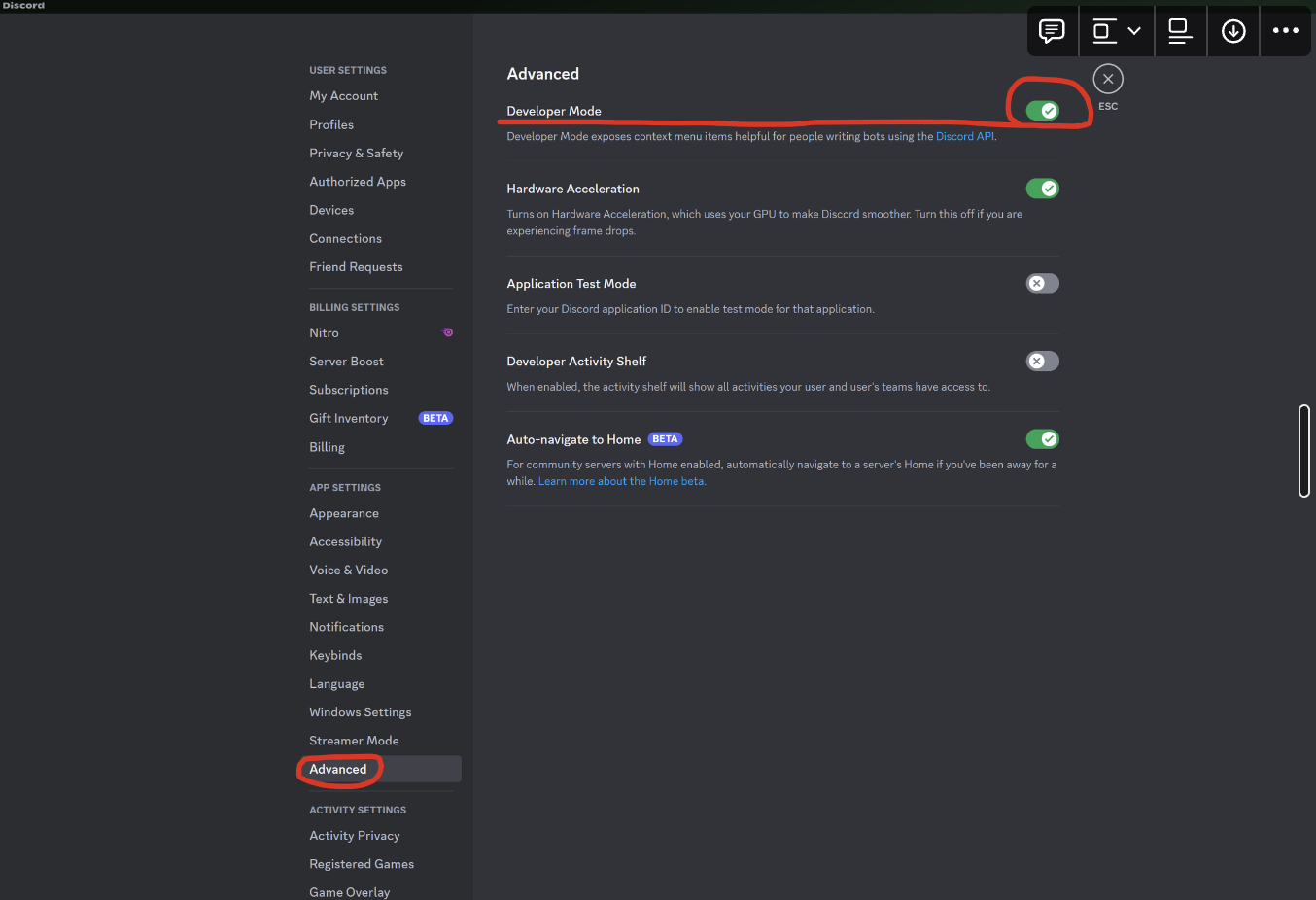
Enable Developer Mode
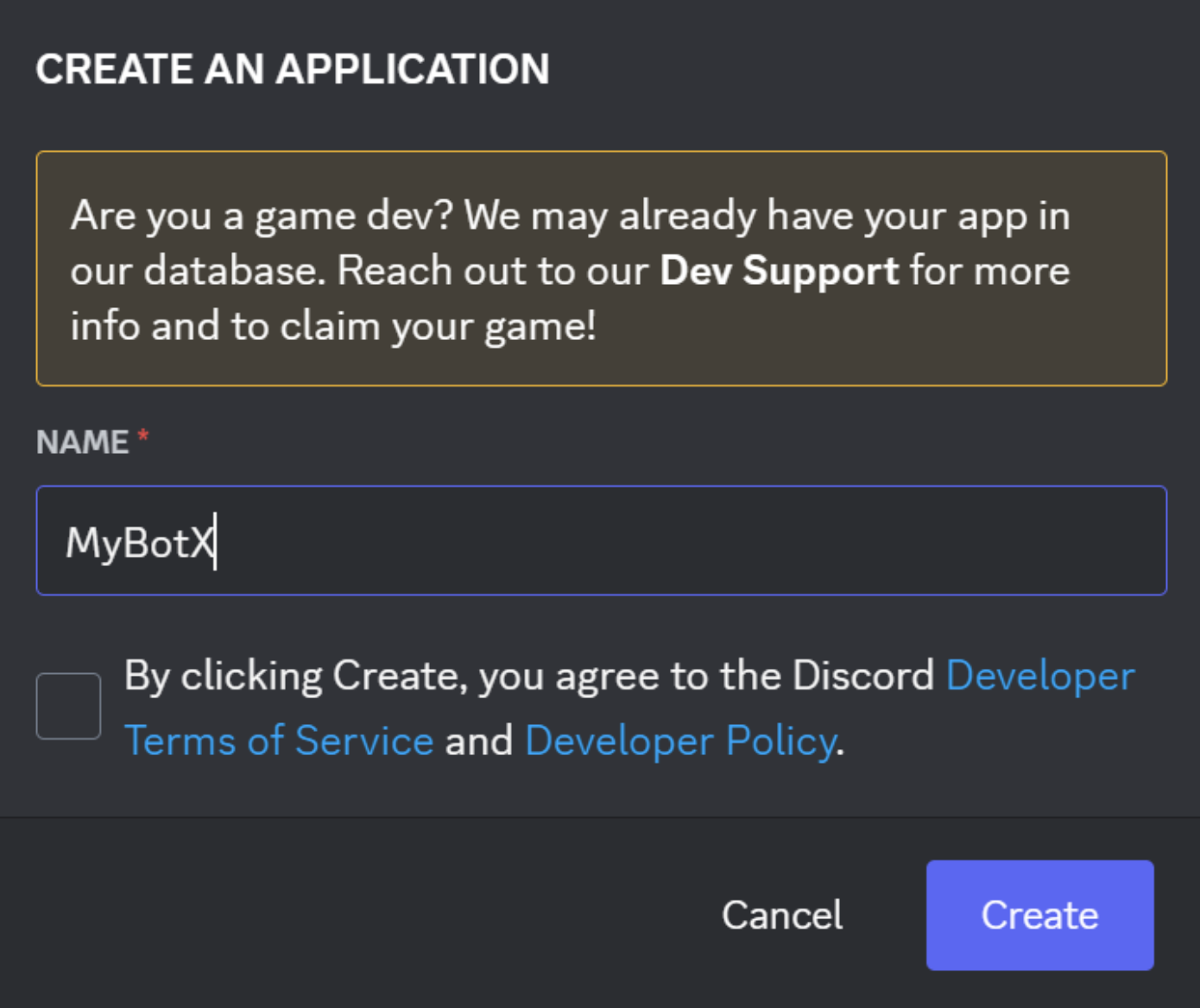
Create a new application at discord.com/developers/applications

Bot.lua
This is your CLIENT_ID:
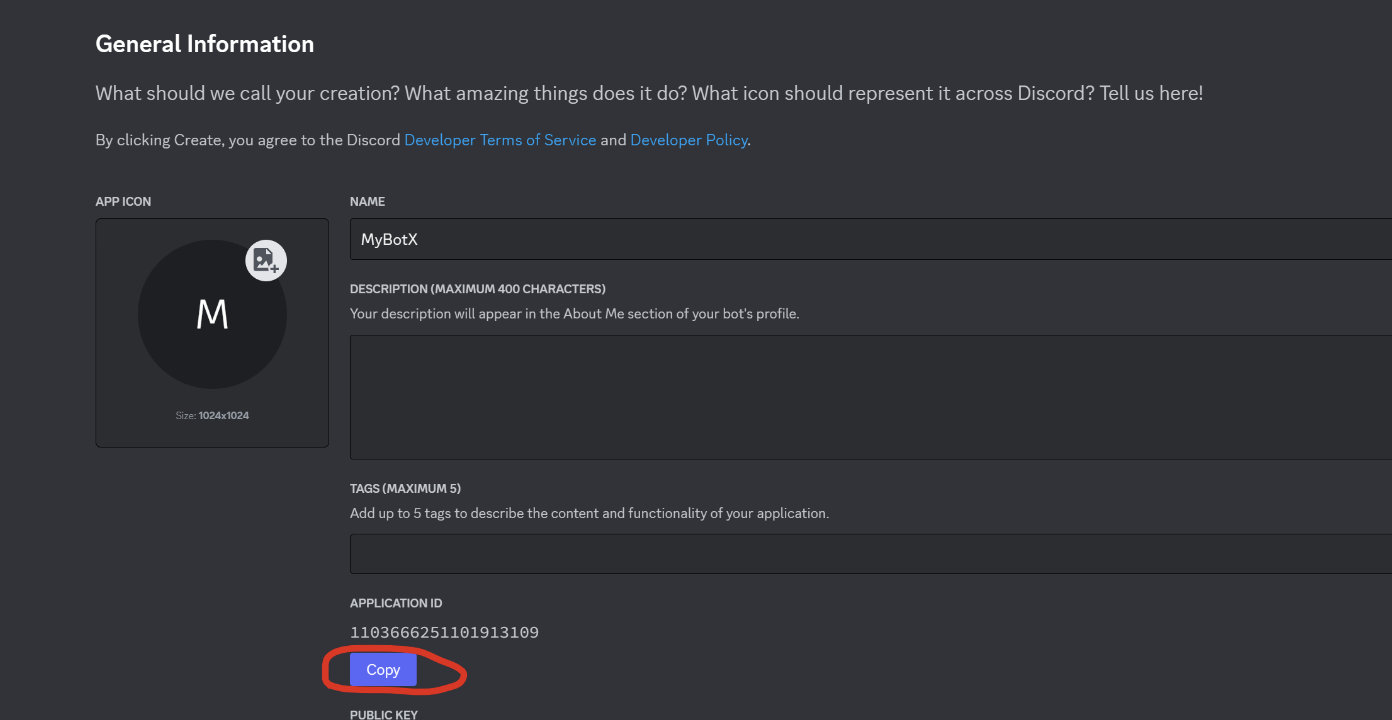
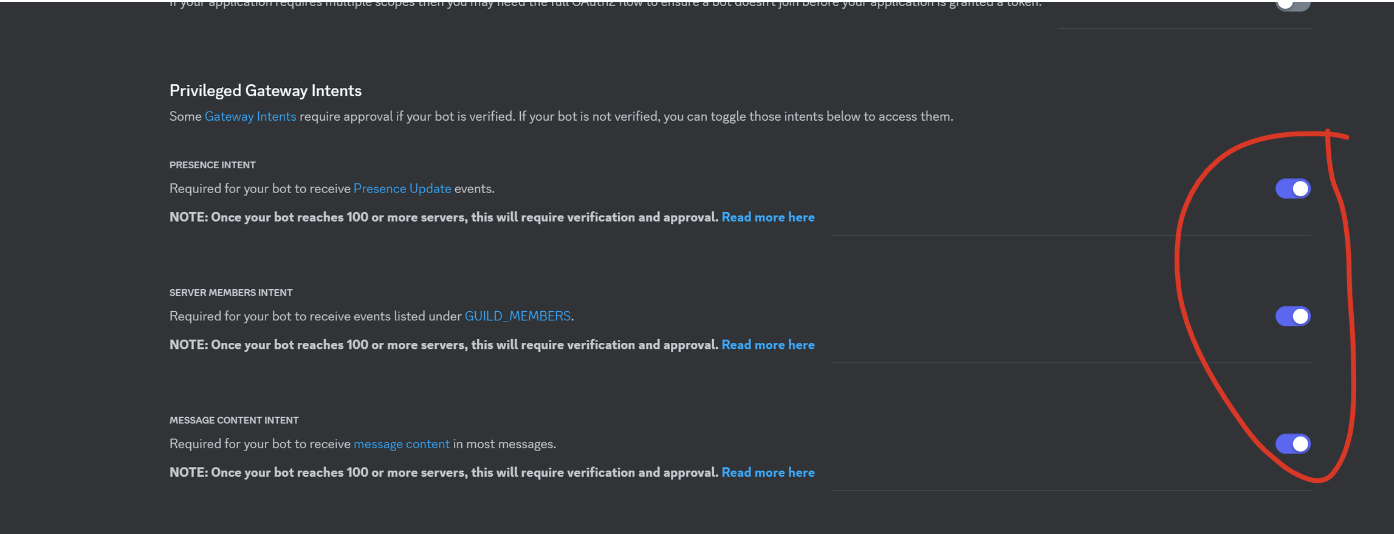
Enable these options:
Invite Your Bot
Select the appropriate permissions:
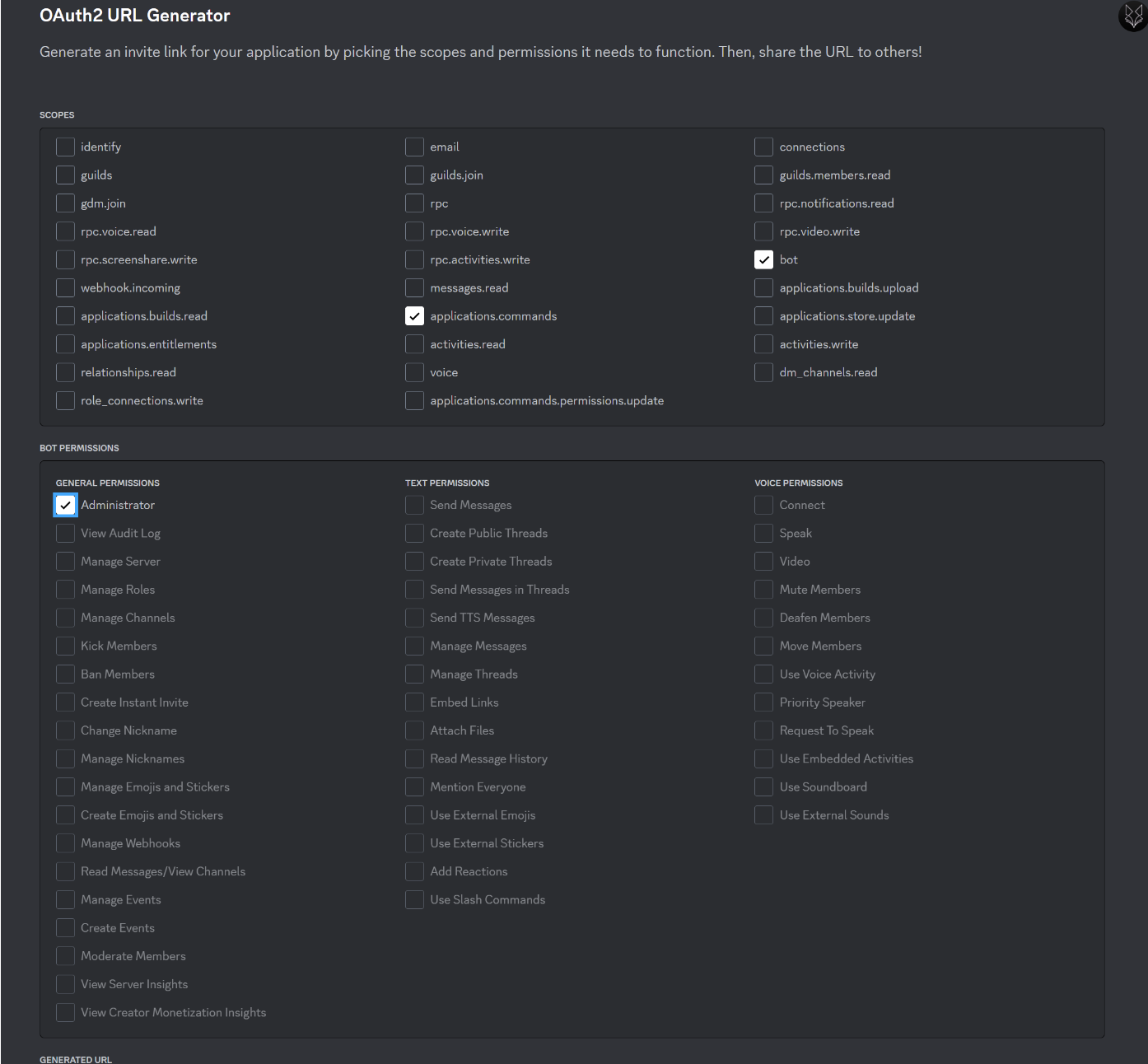
Your bot invite link:

This is your DISCORD_TOKEN:
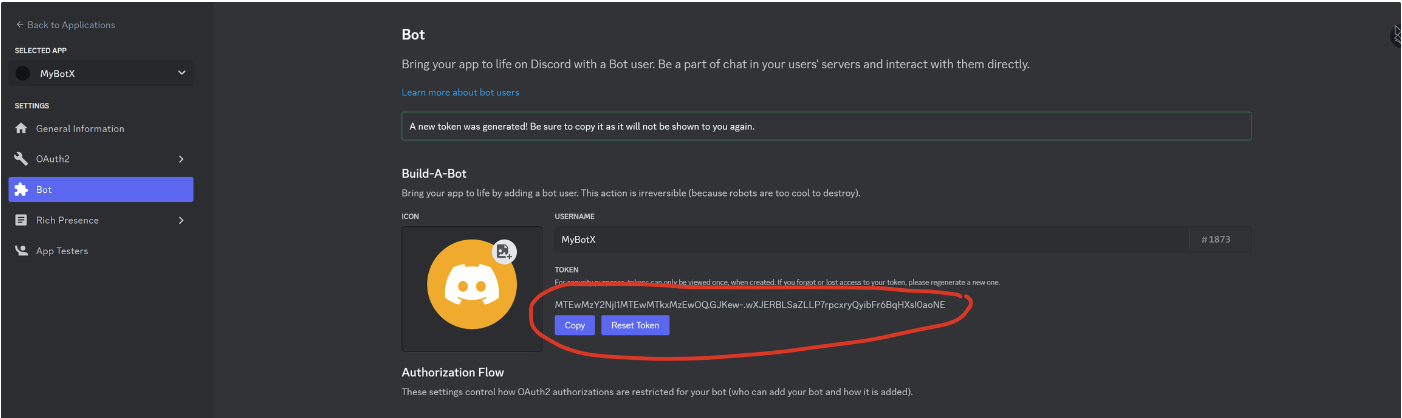
GUILD_ID:
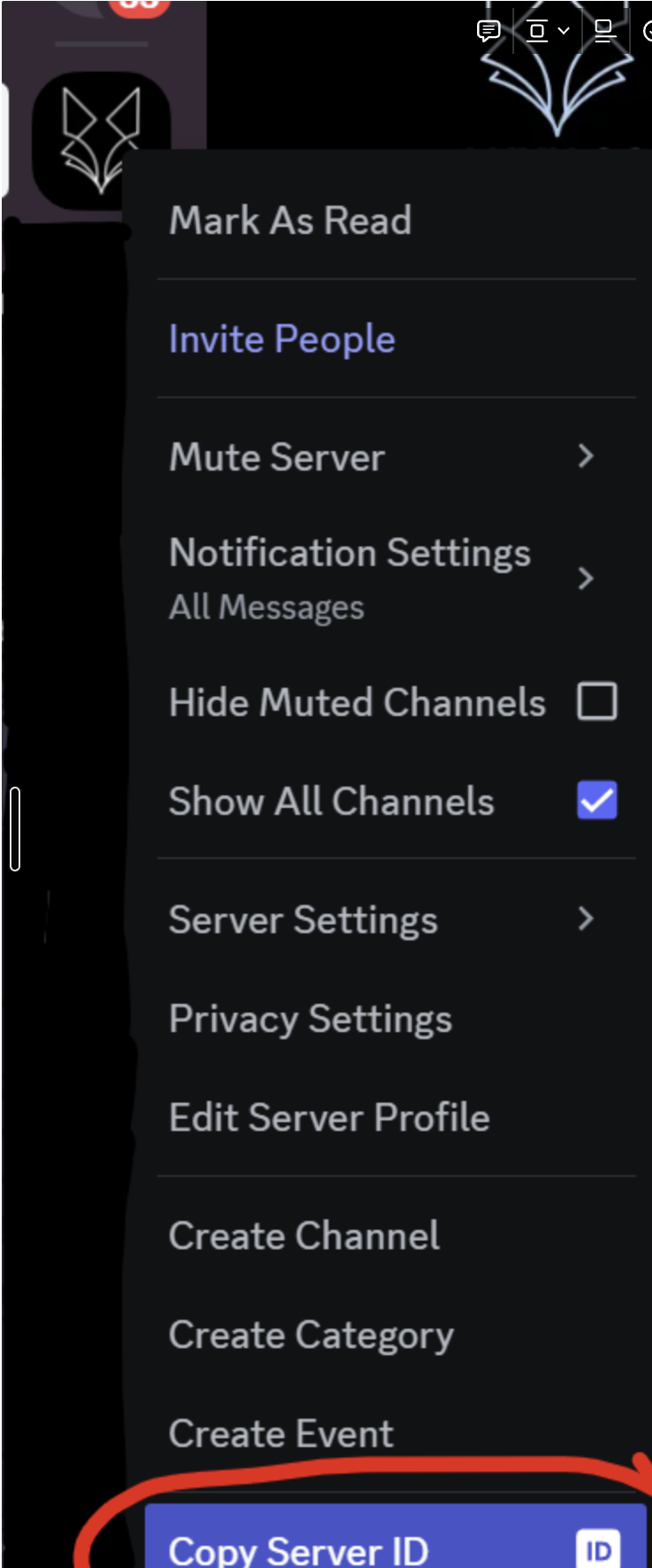
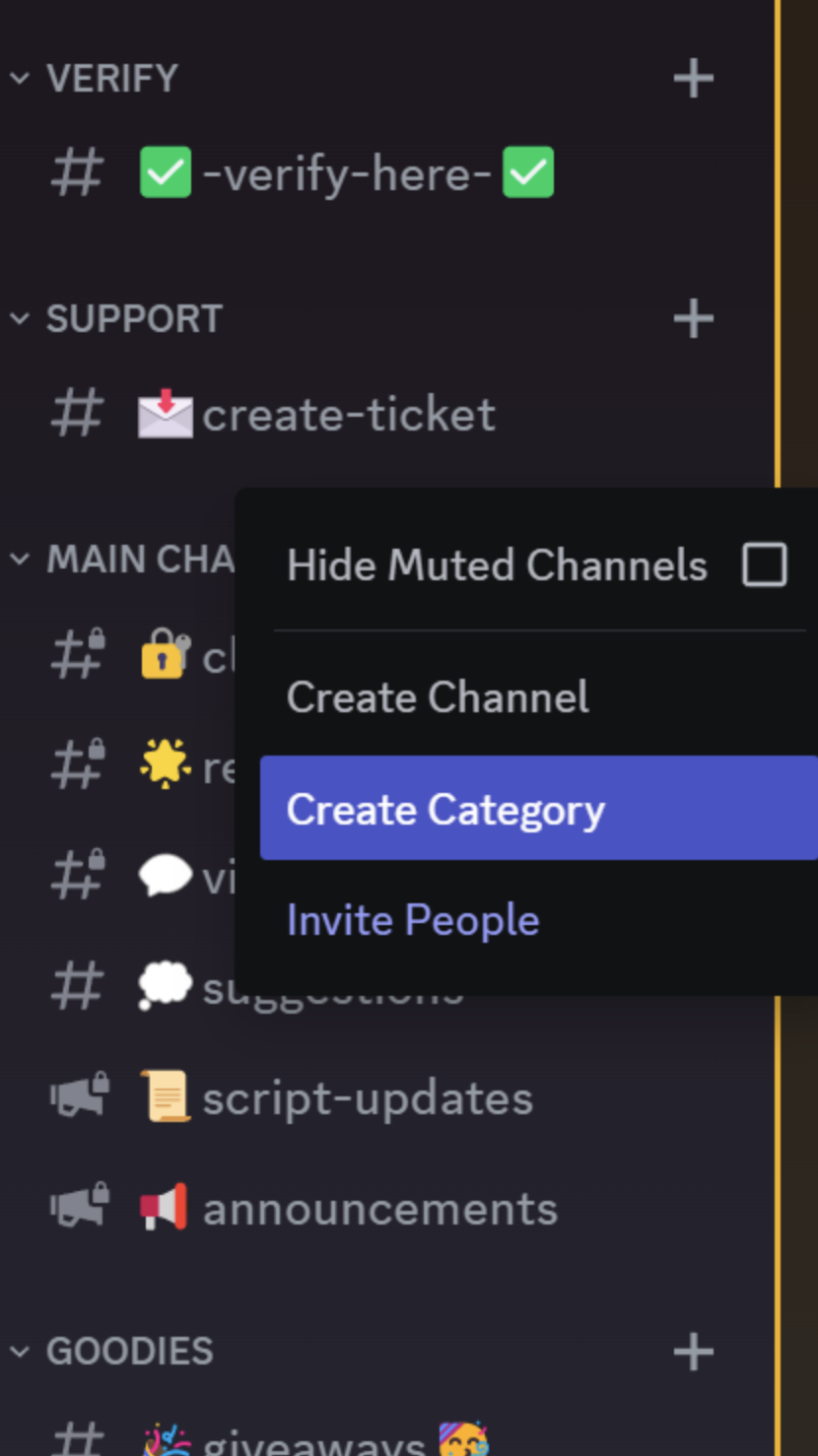
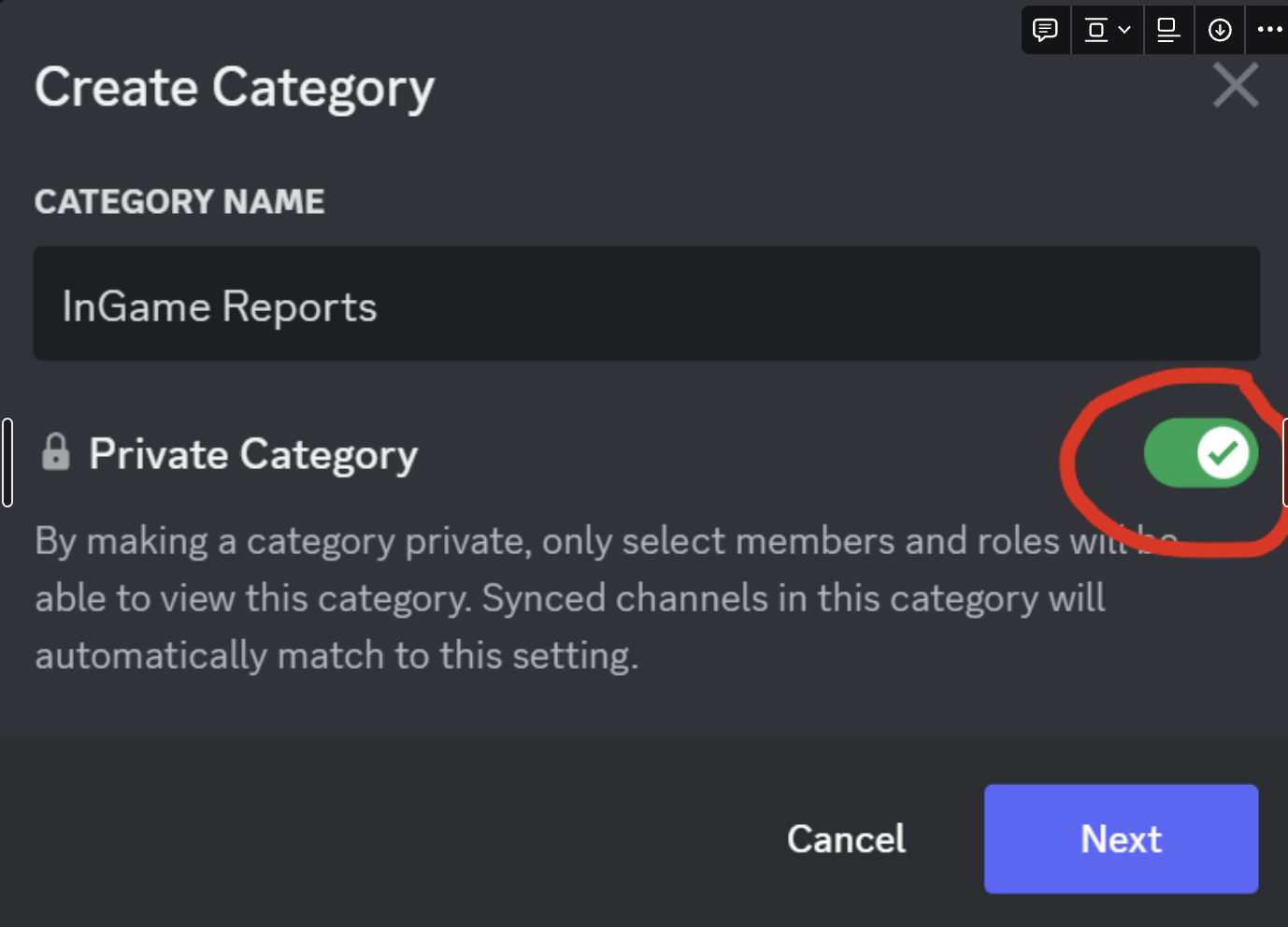
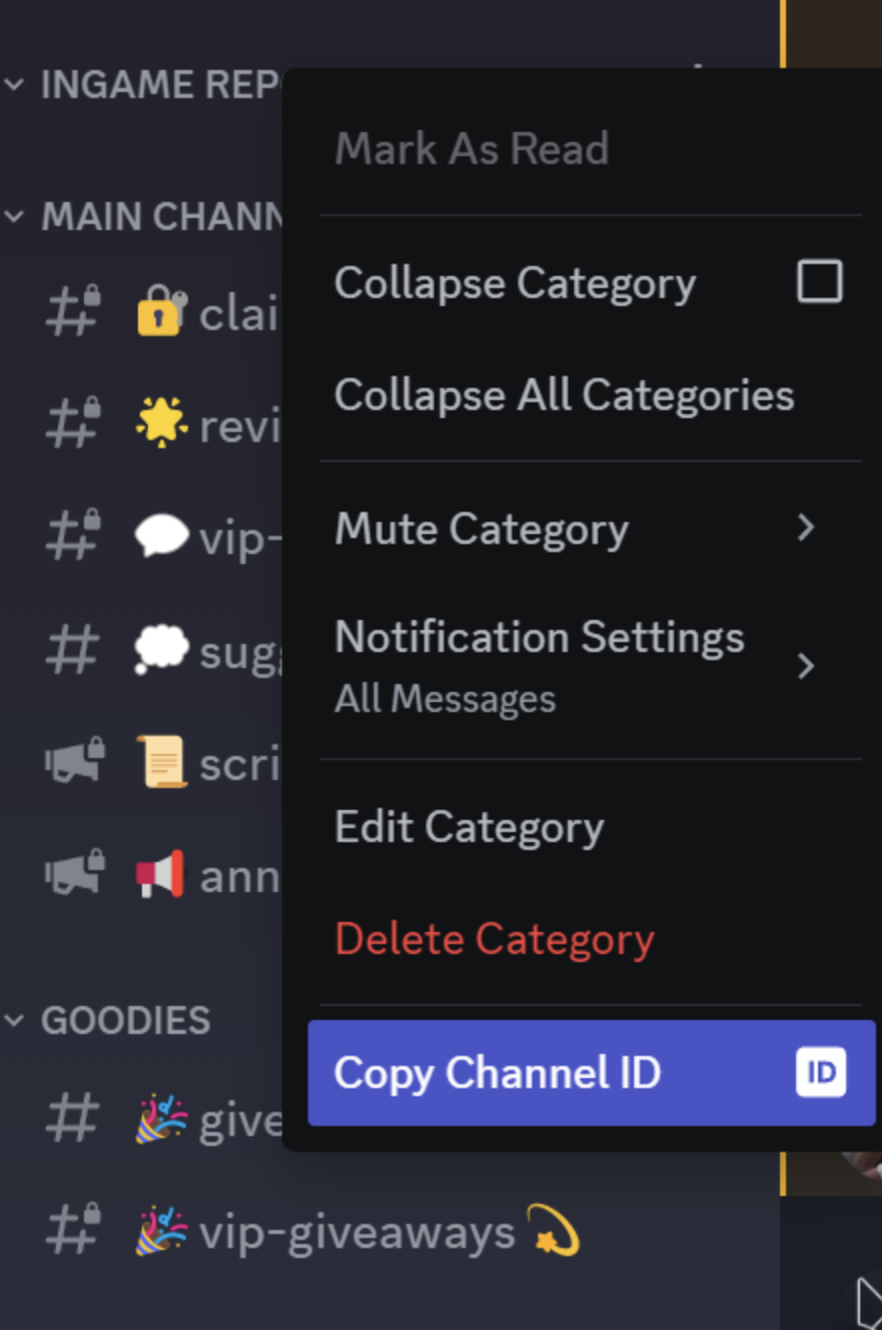
Create a private category in your Discord server and copy its ID:
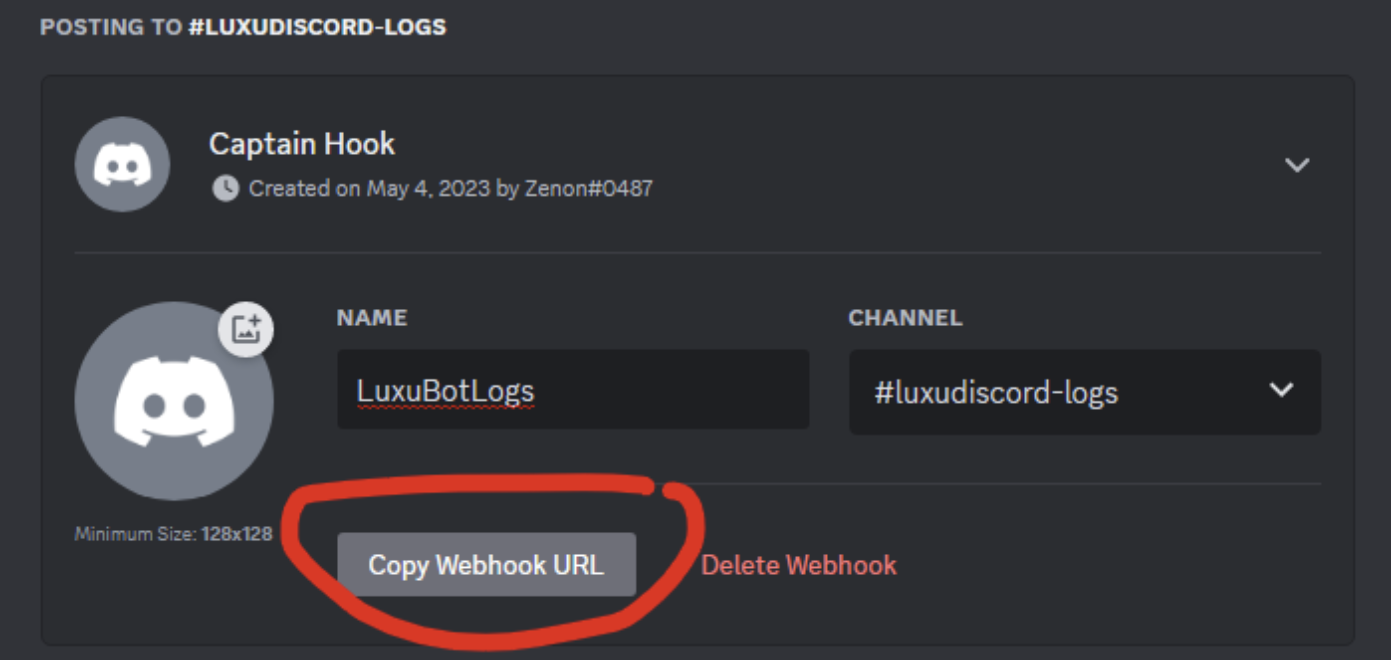
LogWebhook:
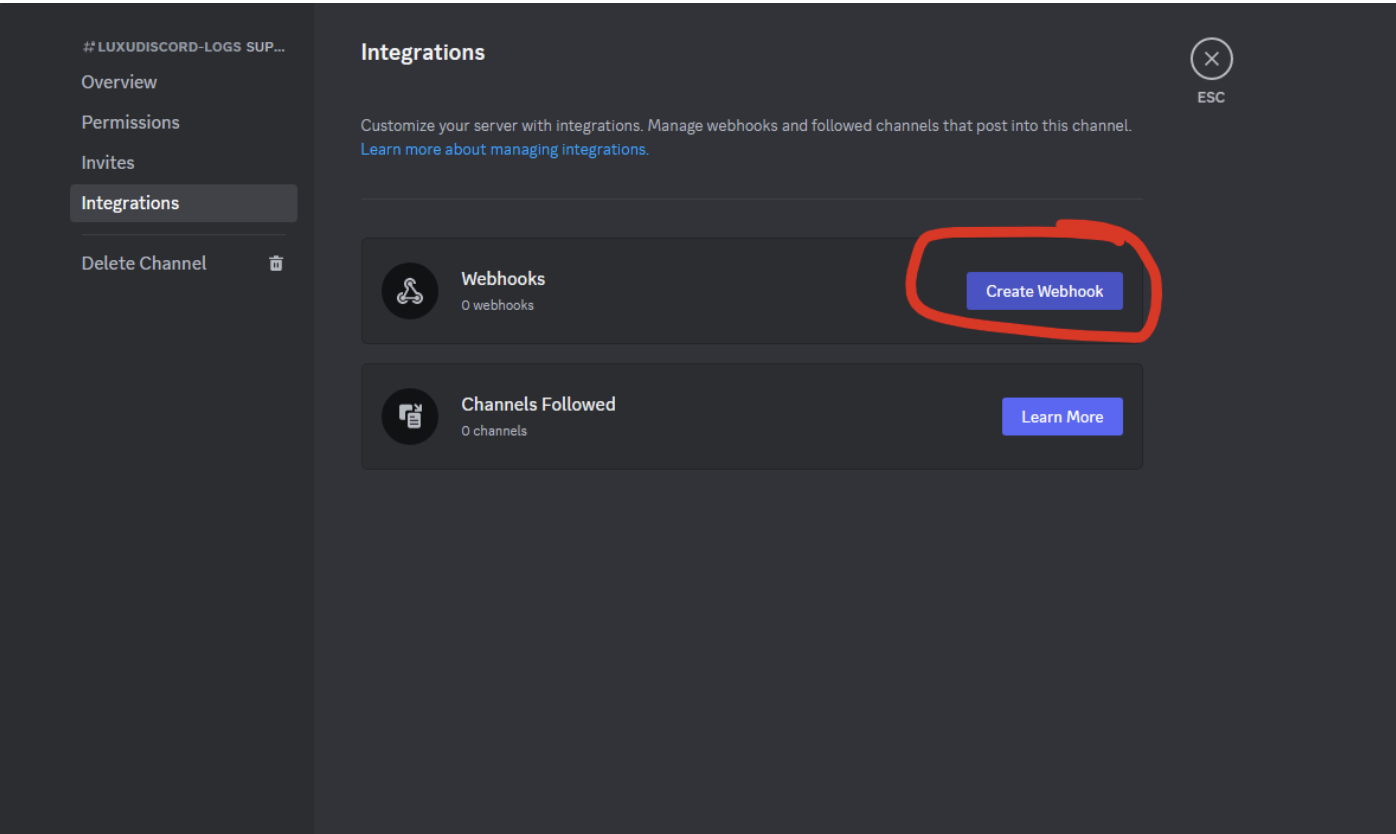
This is your LogWebhook:
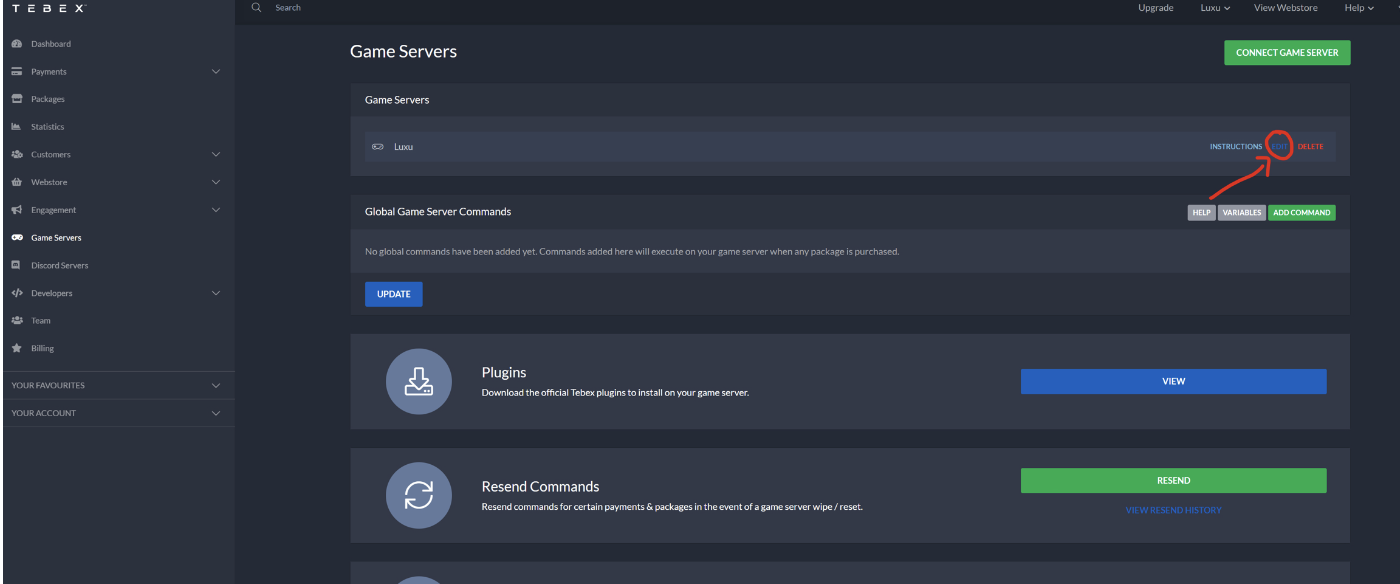
Tebex Secret
- Go to https://server.tebex.io/game-servers
- Click EDIT
Update bot.lua
After collecting all values, update bot.lua: